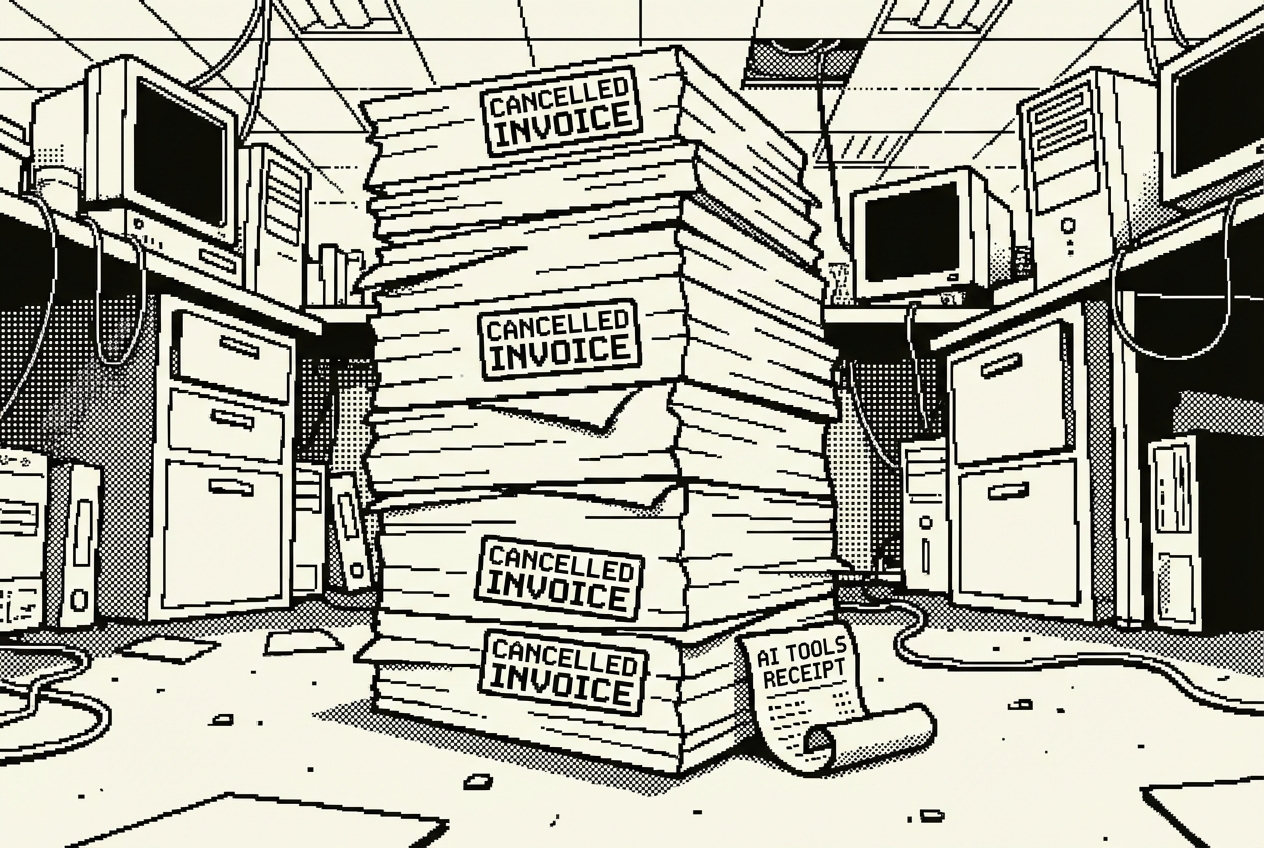
Lisa's Monday morning: sticky notes, three Slack threads, and $24,600 in software she barely uses
Ten tools an office manager can build between meetings. No terminal, no code, no waiting for procurement.
Lisa's Monday started the way most of her Mondays started: with a sticky note she couldn't read. Someone had stuck it to the supply closet door over the weekend. The handwriting looked like it belonged to engineering, probably Derek, but the message was a mystery. Something about toner. Or maybe tape. The "t" could have gone either way.
She peeled it off, added it to the small pile of similar notes on her desk, and opened her laptop. Three unread Slacks about the broken kitchen faucet. An email from the building manager about parking changes. A calendar invite for a vendor review she didn't remember scheduling. And somewhere in the back of her mind, the nagging feeling that the Q2 budget spreadsheet was due on Wednesday and she hadn't started reconciling receipts.
Lisa manages the office for a 45-person company. She is the person who makes sure the lights stay on, the snacks stay stocked, the conference rooms don't get double-booked, and the holiday party doesn't turn into a disaster. Her title says "Office Manager" but her actual job is closer to "the person everyone asks when they don't know who to ask."
She is also the person who manages a surprising amount of software. Not the dramatic kind. Not Salesforce or HubSpot or some enterprise platform with a dedicated admin. Lisa's software stack is quieter than that. A room booking tool here, a visitor management system there, a budget tracker she set up two years ago and now pays $100 a month for without really thinking about it. She has an inventory app she uses maybe twice a quarter. An expense reporting tool that three people in the company actually touch. A document management system that everyone ignores in favor of just emailing PDFs around.
Add it all up and Lisa's quiet little software stack costs $24,600 a year.
She didn't build it all at once. These tools accumulated over time, one reasonable purchase after another, each one solving a real problem in the moment. But most of them are now coasting. Running in the background. Doing 15% of what they were sold on, while Lisa works around their limitations anyway.
This is the chapter about replacing all of that. Not with some massive new platform, but with tools Lisa can build herself, in the same amount of time it would take her to file a purchase request for yet another subscription.
There is something else worth saying about this chapter before we start: it is the most accessible one in the book. The previous chapters involved marketing dashboards, sales pipelines, HR compliance workflows, IT infrastructure monitoring. Those are department-specific tools for department-specific people. Office management is different. The tools in this chapter track supplies, book rooms, manage events, organize documents, and handle maintenance requests. If you have ever worked in an office, you have experienced the problems Lisa solves. If you have ever been the person responsible for solving them, you know exactly how she feels about sticky notes.
The skill levels here are lower than any other chapter. Six of the ten use cases require nothing beyond Beginner, which means having a conversation with an AI tool. No terminal. No deployment. No GitHub. Just typing what you need and getting a working tool back. Two require Comfortable, which means following step-by-step instructions with some clicking between screens. Two require Intermediate, which means reviewing what the AI generates and being comfortable with basic web concepts.
If you skipped earlier chapters because they felt too technical, this is where you start.
Every office has a supply closet, and every office manages it the same way: badly.
Lisa's system involved a combination of gut feeling, sticky notes, and the occasional panicked email when someone discovered they were out of whiteboard markers right before a board presentation. She tried a spreadsheet once. It lasted about two weeks before people stopped updating it. She tried Sortly, an inventory management app that cost $100 a month and worked well enough, but it was overkill for what was essentially a list of pens, paper, and printer cartridges.
The real problem wasn't tracking. It was awareness. Lisa needed to know when supplies were running low before someone came to her desk with that particular expression that meant "we're out of something important." She needed spending visibility so she could tell the CFO exactly where the office supplies budget went each quarter. And she needed it simple enough that she'd actually use it.
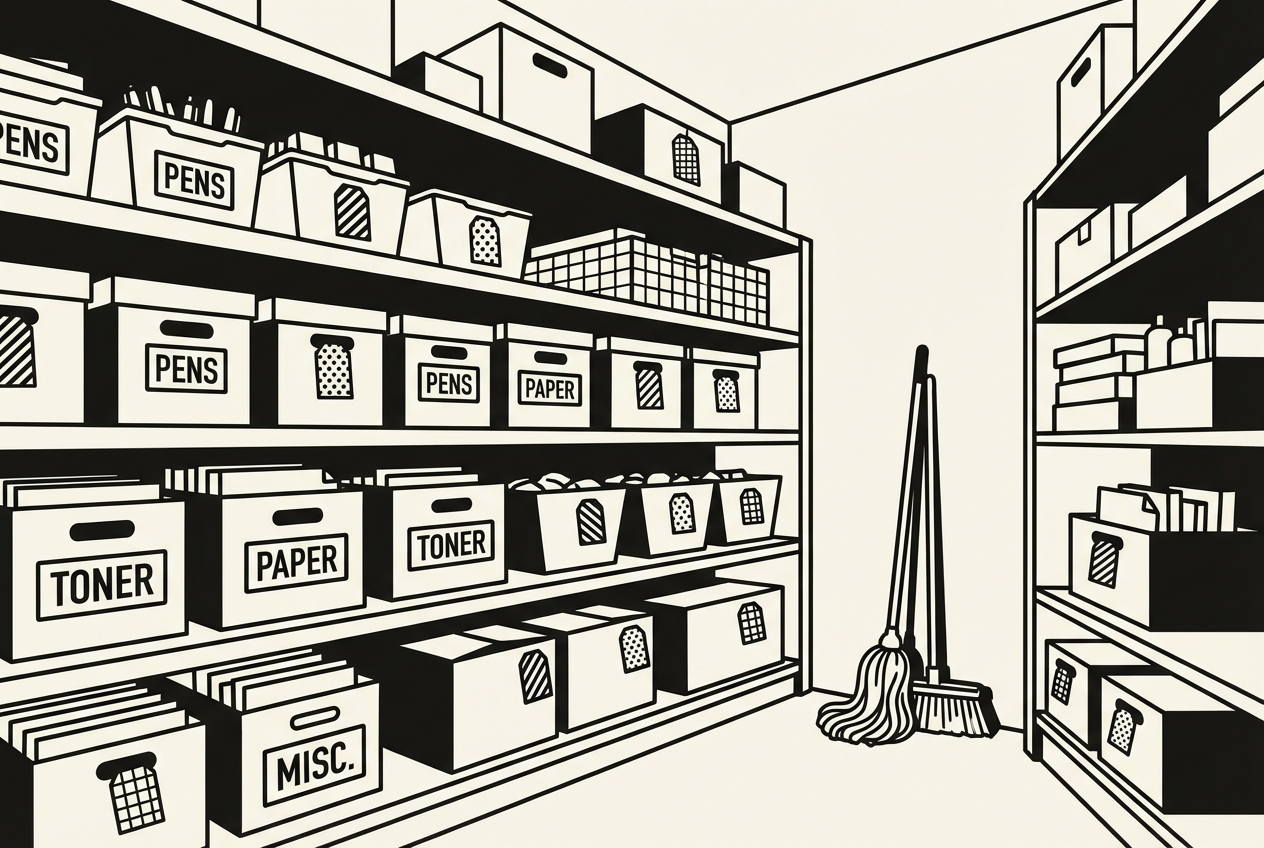
There is a specific kind of frustration that comes with managing office supplies, and it isn't about the supplies themselves. It is about the asymmetry of information. Lisa is the only person in the company who knows that the printer paper shipment takes five business days. She is the only person who knows that the specific brand of whiteboard markers the CEO prefers is frequently out of stock on Amazon and needs to be ordered from a specialty vendor with a two-week lead time. She is the only person who knows that the kitchen's coffee pod supplier raised their prices by 15% last quarter and the budget needs adjusting. All of this knowledge lives in her head, and when she takes a sick day, the entire supply chain runs on hope.
The apps designed to fix this are built for warehouses. Sortly has barcode scanning, photo-based inventory, QR code labels, and multi-location support. inFlow offers purchase order management, sales tracking, and manufacturing bill-of-materials features. These are inventory management tools designed for businesses where inventory is the business. For an office supply closet with forty items, half of which are some variant of "paper product," they are comically overbuilt. Lisa used maybe 10% of Sortly's features, and that 10% was essentially "a list of things with quantities."
$1,200 a year for an inventory management tool that she opened maybe twice a month. That's what she was paying. The tool did more than she needed, less than she wanted, and cost more than it should for the gap between those two things.
This is a Claude Artifacts build, which means Lisa doesn't install anything, deploy anything, or write any code. She opens Claude in her browser and has a conversation.
She starts with something like this:
Claude generates an interactive Artifact right there in the conversation. It's a working web application, a table with all the columns Lisa asked for, color-coded rows for items below reorder thresholds, an "Add Item" button, editable fields, and a spending summary section that calculates totals by category.
What appears on screen looks like a real application. Across the top, a header reads "Office Supplies Tracker" with a row of summary cards: Total Items, Items Low, Items OK, and Total Spend This Quarter. Below that, a filterable table with every column Lisa specified. Items that have dropped below their reorder threshold are highlighted in a soft red, impossible to miss when scanning. Items within 20% of their threshold show in yellow, an early warning. Everything else is green or neutral. The table is sortable by any column, so Lisa can quickly see all Kitchen items together, or sort by last order date to see what hasn't been reordered recently.
Lisa starts populating it. Printer paper: 4 reams in stock, reorder when it hits 2, vendor is Staples, last ordered March 3rd. Whiteboard markers: 6 packs, reorder at 3, vendor is the specialty shop because the CEO insists on a specific brand. Coffee pods: 2 boxes, reorder at 4 (this one is critical, she knows from experience). Hand soap for the bathrooms: 3 bottles, reorder at 2, vendor is Amazon. The whole setup takes about twenty minutes.
Looking at the populated tracker, Lisa notices something she had never quantified before. The spending summary shows that Kitchen supplies account for 34% of the total supply budget, more than Office Supplies at 28%. This is useful information she has never been able to pull out of Sortly quickly because the app buried spending data behind three clicks and a report generator. Here it is on the same screen as the inventory list, updated in real time as she logs purchases.
When she needs to share it with the person who covers for her on vacation, she clicks the share button on the Artifact and sends a link. Done. No second license, no "invite team member" workflow, no per-seat pricing.
If she wants to refine it later, she just tells Claude: "Add a column for unit cost and calculate the estimated reorder cost when an item hits its threshold." Claude updates the Artifact. No support tickets, no feature requests, no waiting for the next software release.
The practical advantage over the old spreadsheet approach is durability. Lisa's spreadsheet failed because it required discipline from other people. The Artifact tracker works because it only requires discipline from Lisa, and it makes that discipline easy by putting everything on one screen with visual cues. Red means order now. Yellow means check soon. Green means relax. The cognitive load is near zero, which is the only way a supply tracking system survives past its second week.
There is a subtlety to this build that matters for anyone managing a similar closet. The reorder thresholds are not just "nice to have" inventory features. They encode Lisa's operational knowledge. The coffee pod threshold is set at 4 boxes, not 2, because the delivery takes a week and the office goes through a box every two days. Running out of coffee is a morale event that Lisa has learned to prevent at all costs. The printer paper threshold is set at 2 reams because the toner vendor includes free paper when you order toner, so Lisa times the paper reorder with the toner schedule. These are the kinds of logistics rules that live in an office manager's head and vanish when they leave the company. The tracker makes them visible and transferable.
Sortly ($1,200/yr), inFlow Basic ($1,200/yr)
Full cancellation of inventory management app
Lisa's office has four meeting rooms. Four rooms, 45 people, and an infinite capacity for scheduling conflicts.
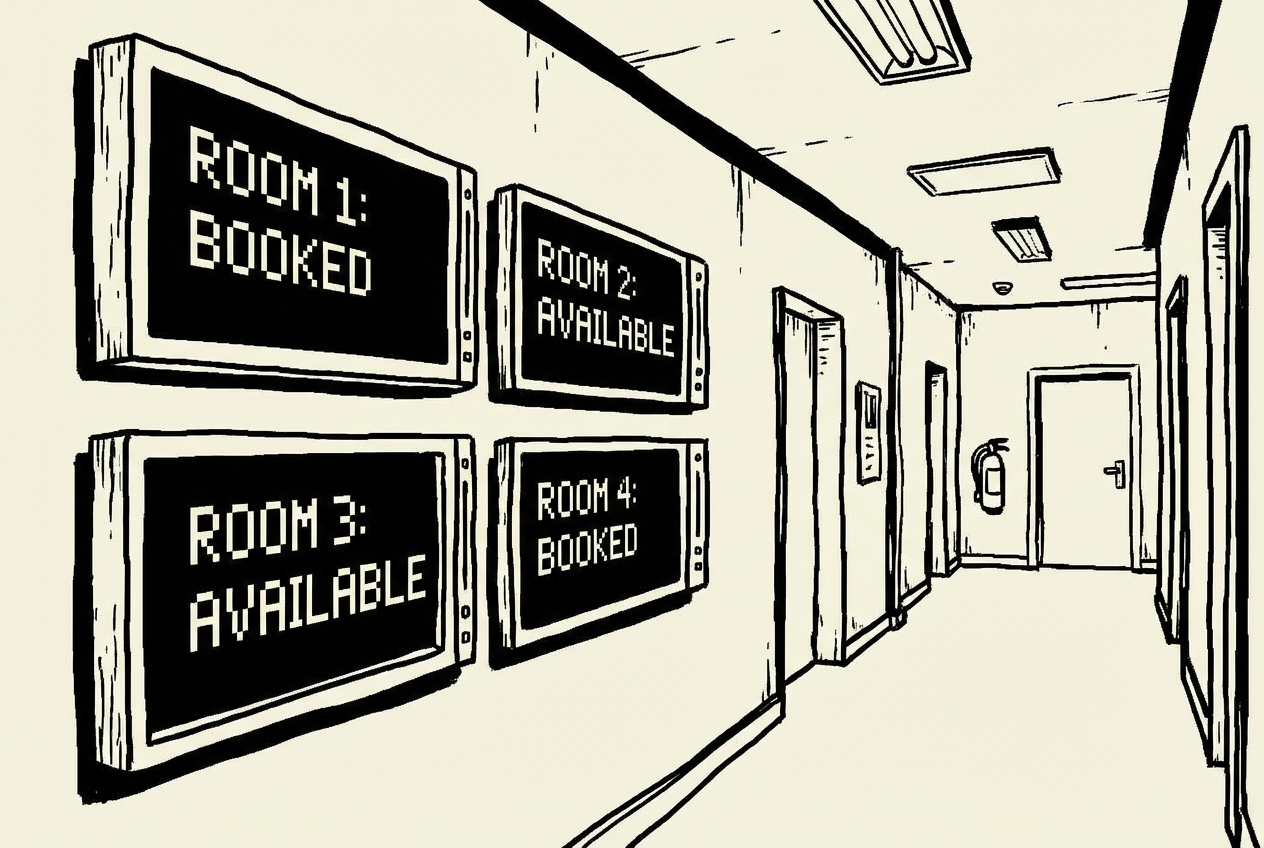
The official system was Google Calendar. Everyone was supposed to book rooms through calendar invites. In practice, about half the company did this, and the other half just walked into whatever room looked empty and closed the door. This led to the kind of low-grade workplace tension that never makes it into an HR complaint but slowly erodes everyone's patience.
The problem has layers. There is the visible layer: double-bookings, room squatting, the passive-aggressive Slack messages. But there is a less visible layer that costs more: the time people spend looking for a room. Lisa watched this happen one Tuesday morning. A product manager walked the hallway checking each meeting room, found all four occupied, walked back to her desk, pinged Lisa on Slack asking if any rooms were available, waited for a response, then ended up taking the meeting at her desk with headphones while colleagues nearby tried to focus.
Lisa tried Robin, a dedicated room booking tool. It was $200 a month and it worked well. It synced with Google Calendar, showed room availability on a nice display, and even tracked utilization data. But Lisa was essentially paying $2,400 a year so that people could see what Google Calendar already showed, just on a screen outside the door.
Robin also introduced its own friction. Setting it up required connecting to the company's Google Workspace, which meant involving IT. The calendar sync occasionally lagged, showing a room as available when someone had just booked it. And the tablet displays outside each room needed their own power cables, mounting brackets, and a replacement policy for when someone inevitably knocked one off the wall.
There is a deeper issue with room booking that transcends software. The real problem is behavioral. People don't book rooms because the act of booking happens at a different time and place than the act of using the room. The cognitive distance between the booking interface and the physical space is what creates the chaos, and no amount of software solves it unless the software lives where the rooms are.
This build uses Google AI Studio to create the app and Railway to host it. "Comfortable" means you can follow step-by-step instructions. No coding required, but you'll be clicking through a few different screens.
AI Studio generates a working React app. Four room cards, color-coded status indicators, a booking form. It reads like a professional room display, the kind you would expect to see in an office that pays for dedicated room management software.
Use annotation mode to tweak things visually. Click on the room name font size if you want it bigger. Click on the color if amber isn't quite right. Point and click, no code. Lisa adjusted the font size on the room names because the original text was too small to read from across the hallway.
When it looks right, connect it to GitHub. AI Studio can push the project to a new repository for you. Then go to Railway, connect that GitHub repo, and deploy. Railway gives you a live URL in about two minutes. That URL is what you'll load on the tablets outside each meeting room.
The key insight Lisa discovered after deploying this: the visual display changed behavior more than any booking policy ever did. When people walked up to a room and saw the schedule on the screen, they booked through the system because the system was right there, staring at them. Within two weeks of mounting the tablets, room conflicts dropped by about 70%.
The remaining 30% were mostly people who booked but ran over their time, which Lisa addressed by asking Claude to add an "extending" feature: a button on the display that lets the current meeting extend by 15 or 30 minutes, as long as the next slot is free. This was a five-minute conversation with AI Studio. With Robin, it would have been a feature request submitted to a product team she would never hear back from.
Lisa used old iPads that the company had in a drawer, leftovers from a trade show booth. She bought four inexpensive tablet wall mounts from Amazon for $15 each. Total hardware cost: $60 for the mounts and cables.
Robin ($2,400/yr), Skedda ($2,400/yr), Envoy Rooms ($2,400/yr)
Full cancellation, minus ~$60/yr Railway hosting
Lisa had a system for expense reports. She called it "the shoebox method," though it wasn't actually a shoebox. It was a folder on her desktop called "Receipts Q2" where she dragged photos of receipts, screenshots of online orders, and occasionally a PDF from a vendor. Then, once a month, she would open Expensify, manually enter each expense, attach the receipt photo, categorize it, and submit it for approval.
It worked. It was also the kind of task that reliably ate three hours of her Monday, once a month, and made her question her career choices.
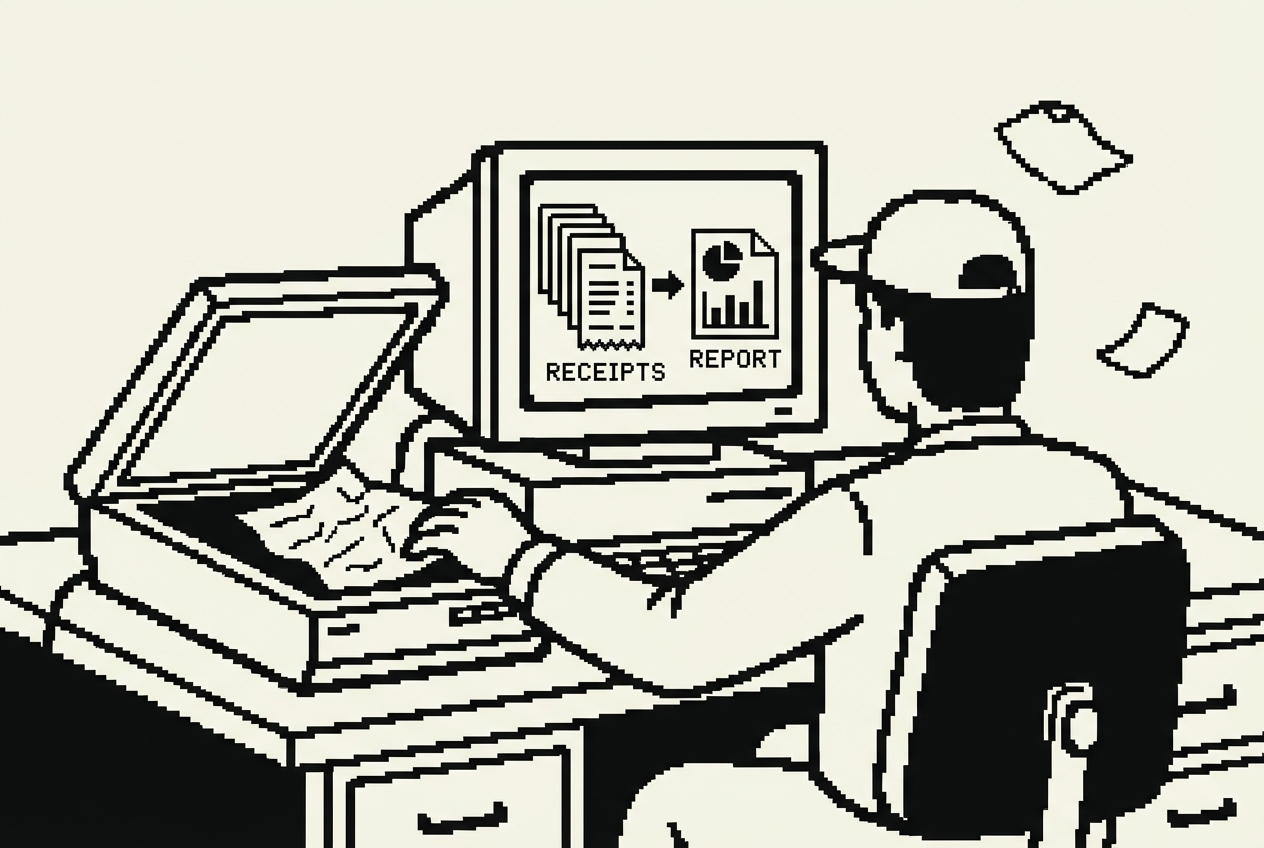
Expensify cost the company about $250 a month, or $3,000 a year. For 45 people, only about 10 actually submitted expense reports regularly. The rest either didn't have expenses or just asked Lisa to handle theirs, which she did because it was faster than explaining the tool to someone who would use it once a quarter.
The tool was fine. The process was the problem. Categorizing 60 receipts by hand, one at a time, in a web interface designed for power users, when all Lisa really needed was a formatted report she could hand to finance. Expensify offered receipt scanning, which sounded like it would solve the data entry problem. In practice, the scanner read about 70% of receipts correctly, which meant Lisa had to verify every single entry anyway. The 30% error rate was high enough that she couldn't trust it, but the tool was good enough that she felt guilty doing it all manually.
There was another layer to this pain. The expense categories in Expensify didn't match the categories her finance team used. Every month, Lisa translated between the two systems. Every month, at least three or four expenses ended up in the wrong bucket, and finance sent them back for correction. The tool that was supposed to simplify her month-end made it 20% longer than it needed to be.
This is a Cowork build. Cowork is an autonomous agent that works with your files, which is exactly what expense reporting is: files that need to be organized and summarized.
Start by creating a folder structure on your computer:
The expense-policy.md is the key piece that makes this approach work better than Expensify. Your policy file uses your company's actual categories, not a tool vendor's generic ones:
Cowork reads the receipts (it can process images and PDFs), cross-references them against the bank export, categorizes them using your policy document, and generates a clean expense report. The whole thing takes a few minutes.
The accuracy surprised her. Because Cowork reads the actual receipt images, not just the file names, it correctly categorized a $340 charge from "John's Hardware" as Office Maintenance rather than Office Supplies, because the receipt showed door hinges and lock replacements. The difference is that Cowork reads the policy file and applies judgment about what each expense actually is, based on what the receipt says, not just who it's from.
Lisa tested this with David from sales, who was the most reluctant Expensify user in the company. She sent him the folder structure, told him to drop his receipts in and run the prompt. He submitted his expense report in eight minutes. His previous average was "I'll get to it" followed by six weeks of Lisa sending reminder emails.
What used to take three hours now takes fifteen minutes, and most of that is Lisa reviewing the output rather than doing data entry.
Expensify ($3,000/yr), Ramp expense features ($3,000/yr)
Full cancellation of expense management tool
If you manage an office, you manage vendors. And if you manage vendors, you have a spreadsheet somewhere with contract dates that you check inconsistently.
The typical office runs on dozens of vendor relationships. The cleaning service, the plant maintenance company, the snack delivery service, the copier lease, the parking garage contract, the HVAC maintenance agreement, the security system provider, the coffee machine vendor, the catering company for monthly all-hands lunches. Each one has a contract start date, a renewal date, pricing that may or may not have changed since you signed, and a performance history that lives entirely in your memory.
Dedicated vendor management platforms exist. Gatekeeper, Precoro, Ivalua, they're built for procurement teams at large companies. They cost $300 a month or more, and they're designed for organizations managing hundreds of suppliers with complex approval workflows. For a 45-person company with 20-30 vendors, it's like using a forklift to carry groceries.
The real cost isn't just the $3,600 a year for the tool. It's the missed renewal dates. Lisa calculated it once: in the past two years, the company had accidentally auto-renewed three contracts they intended to either cancel or renegotiate. The combined cost of those missed deadlines was roughly $11,000 in overpayment.
There's a more subtle pain too: the inability to see the big picture. When someone asks Lisa "how much do we spend on vendors?" the answer requires opening the spreadsheet, hoping it's current, summing a column, and presenting a number with the caveat that it might be off by 10-15%.
This build uses the Codex App, a desktop command center for parallel AI agents. "Intermediate" means you're comfortable reviewing what the tool generates and can handle basic web concepts like pushing to GitHub.
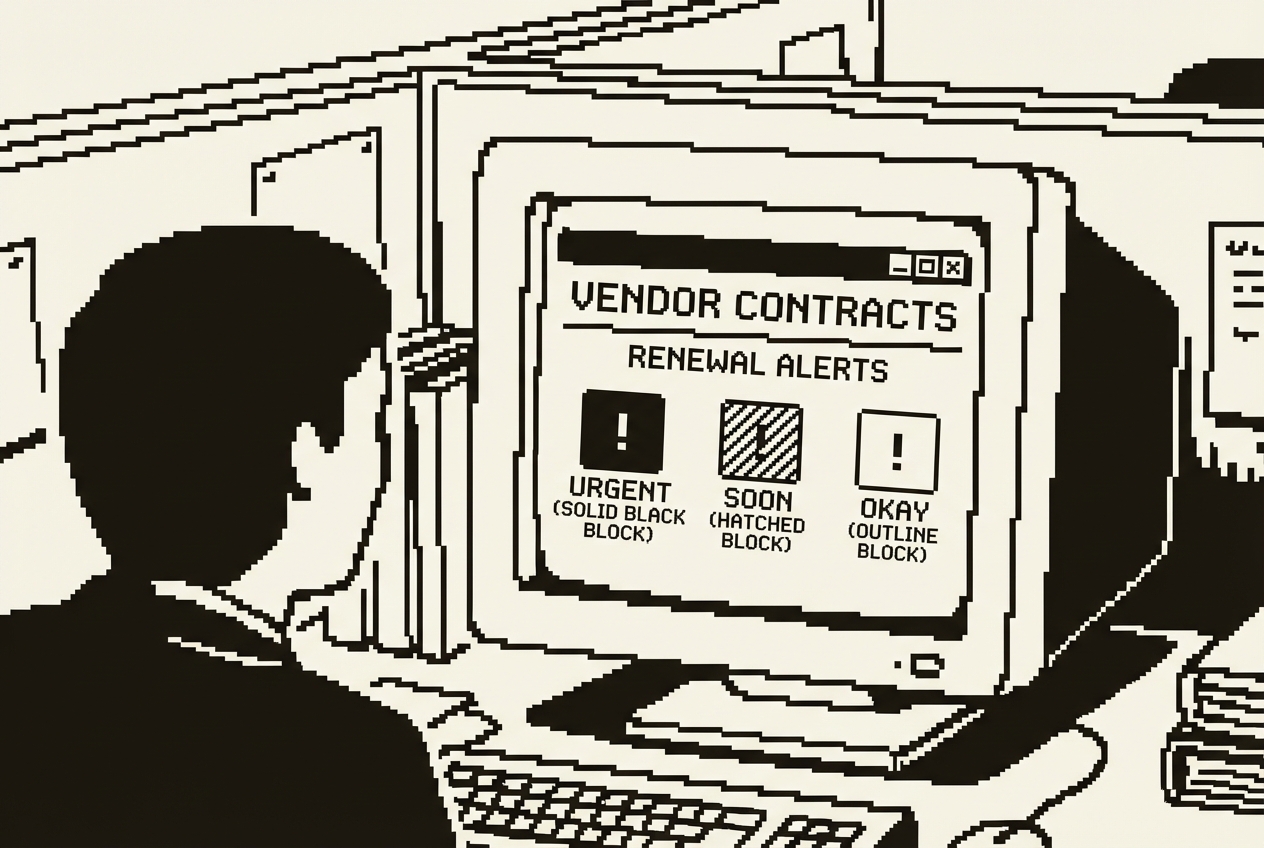
Codex dispatches an agent to build this. When it's done, you review the result in the preview. What you get is a proper web application. A table of all your vendors with every detail you asked for. A renewal alert panel at the top that highlights which contracts are coming up. A spending breakdown by category.
The renewal alert panel is the centerpiece. At the top of the dashboard, three color-coded sections sit side by side. The red section, labeled "Action Required: Next 30 Days," shows the contracts that need immediate attention. The yellow section, "Review Soon: 30-60 Days," shows what's coming up. The green section, "On the Horizon: 60-90 Days," shows what to start thinking about.
The power here is in the renewal alerts. When you log in on Monday morning and see "HVAC maintenance contract renews in 28 days, auto-renewal, 60-day cancellation notice required," you know you need to act now. The dashboard surfaces the information that matters at the moment it becomes urgent.
The performance rating feature solves a problem that spreadsheets never could. When a contract is up for renewal, the decision isn't just about price. It's about performance. A vendor with a 2-star performance rating and an upcoming renewal gets a different conversation than a vendor with a 5-star rating. The data shapes the decision in a way that gut feeling and memory cannot.
Lisa walked into the quarterly budget review with the spending summary showing $86,400 in annual vendor spend, broken down by category, with three contracts flagged in red for upcoming renewals. The CFO's response was "why haven't we had this view before?" That conversation led to a renegotiation initiative that saved the company $4,200 in the next quarter alone.
Gatekeeper ($3,600/yr), Precoro ($3,600/yr), Ivalua lite ($3,600/yr)
Full cancellation of vendor management platform
Here's a question that sounds simple and isn't: where does everyone sit?
If your office has assigned seating, you need a seating chart. If your office has hybrid or hot-desking, you need a seating chart even more, because the answer changes every day. And if you're somewhere in between, like most 45-person offices where people technically have assigned desks but engineering quietly rearranged their section three months ago and nobody updated anything, you need a seating chart most of all.
The question comes up more often than you'd think. A delivery person needs to find someone for a signature. A new hire is looking for their desk on the first day. The fire marshal asks for an occupancy plan. The CEO wants to reorganize departments. HR is planning a team expansion and needs to know which desks are actually vacant versus which ones have been claimed by people who only come in twice a week but leave their belongings as territorial markers.
Workspace management tools like OfficeSpace and SpaceIQ solve this problem with floor plan editors, desk booking features, occupancy analytics, and move management workflows. They're designed for companies managing multiple floors across multiple buildings. The pricing reflects that ambition, $200 a month is typical for a basic plan.
For a single-floor office with 45 people, you don't need occupancy analytics. You don't need move management workflows. You need a visual map that shows who sits where, which desks are empty, and which department is in which section. And you need to update it when someone moves without filing a support ticket.
This is a Google AI Studio build. Open the browser, click "Build" mode, and describe your floor plan:
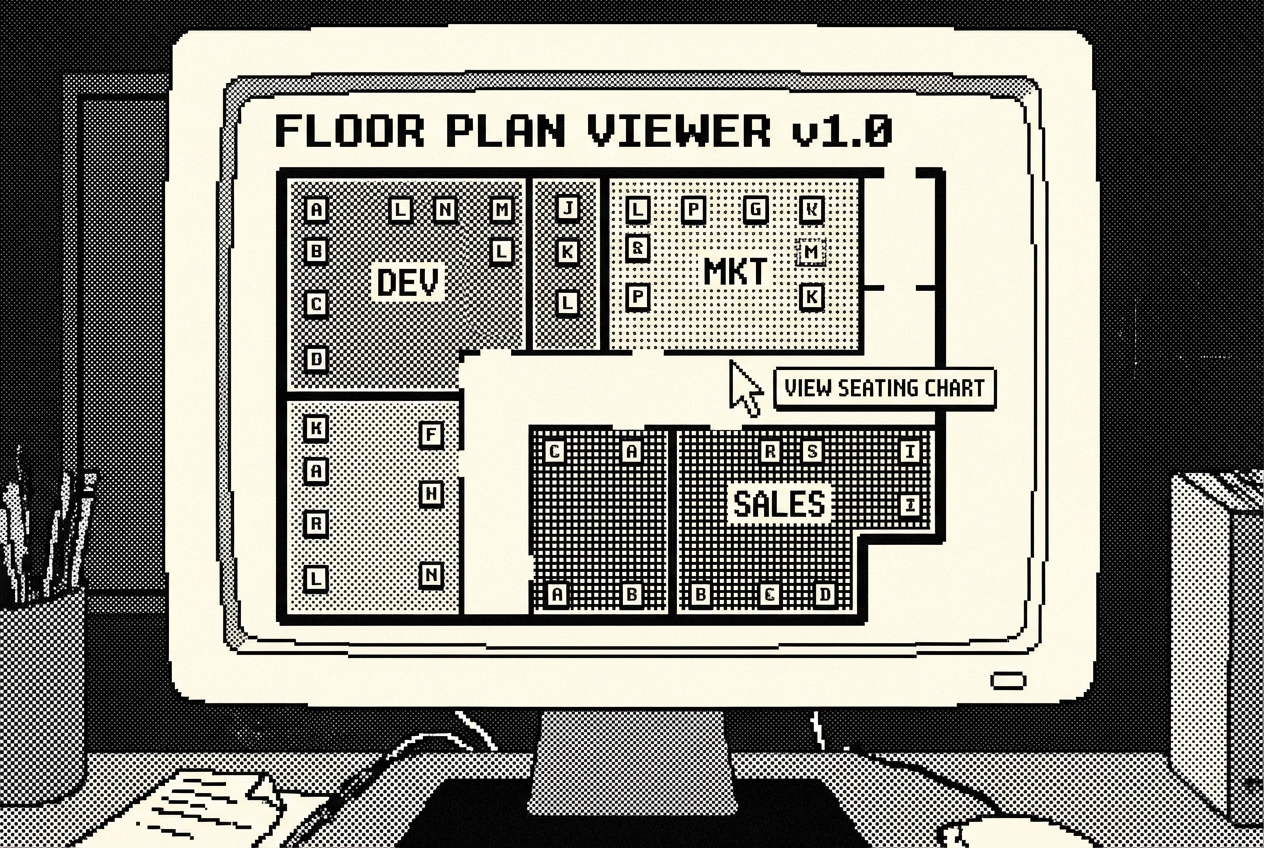
AI Studio builds this as a visual, interactive web app. You'll see your floor laid out with color-coded sections. Engineering might be blue, Sales green, Marketing purple. Each desk is a clickable card showing a name. Vacant desks are gray with an "Available" label.
Use annotation mode to adjust the layout. Maybe engineering should be on the left side, not the right. Maybe the executive section needs to be closer to the entrance. Click and adjust. Lisa spent about five minutes rearranging sections to roughly match the actual floor layout.
Lisa populated the chart during a slow Wednesday afternoon. It took about 35 minutes to enter 41 names and titles. She used the company directory on one monitor and the seating chart on the other, working section by section. Engineering was the tricky part because, as expected, the actual seating arrangement didn't match the "official" one.
She pinned the link in the company's #general Slack channel. Within the first week, four people messaged her with corrections she didn't know about. The chart was already more accurate than any previous version had been.
The chart also proved its worth during the quarterly planning meeting when the VP of Engineering asked about expanding the team by three people. Instead of Lisa pulling up a PowerPoint and guessing, she shared the link on the conference room screen. Everyone could see the four vacant desks and their locations. The conversation took five minutes instead of the usual multi-day task.
No calendar sync, no booking system, no analytics dashboard. Just a clear, visual answer to "who sits where." Which is all most offices actually need.
OfficeSpace ($2,400/yr), SpaceIQ ($2,400/yr)
Full cancellation of workspace management platform
If you run an office, you run events. The monthly all-hands. The quarterly team outings. The annual holiday party. The summer barbecue. The occasional client visit that requires catering and room setup.
Each event involves the same moving parts: a date, a budget, a headcount, vendor bookings, an RSVP list, and a dozen small tasks that fall through the cracks if you don't track them.
The complexity isn't any single event. It is the overlap. In November, Lisa was simultaneously planning the holiday party (December 15th, 45 people, $3,500 budget), a team outing for engineering (December 8th, 12 people, $600 budget), and the Q4 all-hands (December 1st, 45 people, $800 budget for catering). Three events in three weeks, each with its own vendor, its own task list, its own RSVP count, and its own budget constraints. By the second week of November, she had accidentally used the engineering outing's caterer quote for the holiday party budget.
Some office managers use Eventbrite's enterprise features or Splash for this. These are event management platforms designed for marketing events, conferences, and public-facing gatherings. Using them for "Jeff's farewell lunch" and "Q3 all-hands" is like booking a wedding venue for a dinner party. The features are there, but you're paying for 90% of a tool you don't use.
$2,400 a year for event management software. For a company that runs maybe 15-20 internal events a year. That's $120 to $160 per event, just for the tracking tool, before you've bought a single appetizer.
This is a Codex App build with Railway deployment so your team can access it.
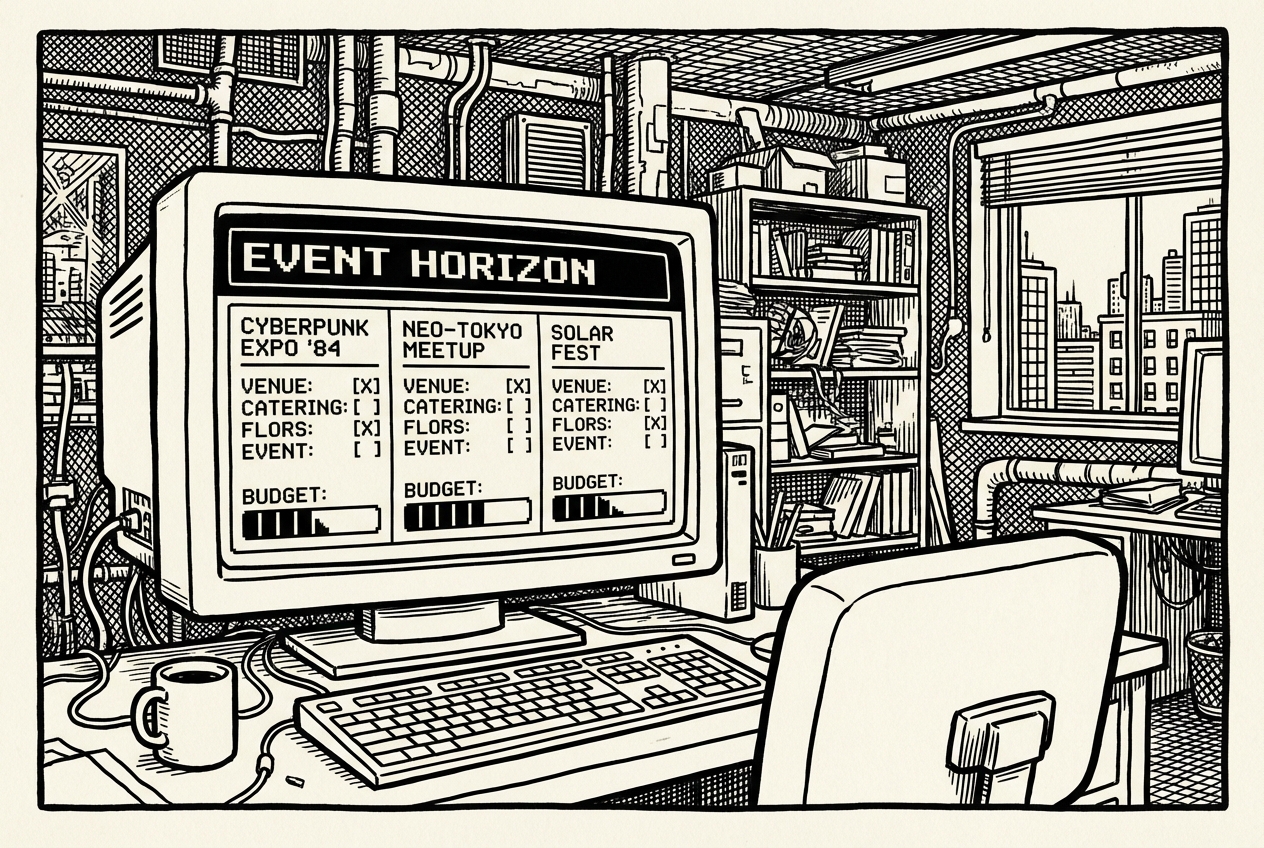
Codex builds a full event management app. The calendar view shows your events laid out across the months. Click into any event to see its details: the task checklist with checkboxes, the RSVP status, the budget breakdown.
The task checklist is where this really earns its keep. When you're planning three events simultaneously, which happens every December, having a clear task list for each event means nothing falls through the cracks. "Order name tags" doesn't get forgotten because it's sitting right there, unchecked, next to "Confirm headcount with catering."
The Budget section shows a simple table: Category, Estimated, Actual, and Variance. The total row shows the full budget picture. This is information that previously lived across three different places: the caterer's email, Lisa's notebook, and the company credit card statement.
Push it to GitHub and deploy on Railway. Now your team can access it. Your assistant can update task status. Department heads can check RSVP counts for their team outings. The CFO can see quarterly event spending without asking you for a report.
Lisa discovered an unexpected benefit after using the dashboard for two quarters: she could now template events. The Q1 all-hands is almost identical to the Q2 all-hands. Rather than starting from scratch each quarter, she duplicated the previous event and adjusted the date. The planning time for recurring events dropped from about two hours to 20 minutes.
Eventbrite enterprise ($2,400/yr), Splash basic ($2,400/yr)
Full cancellation of event management platform
Visitor management used to mean a paper sign-in book. Then it meant an iPad at the front desk running Envoy or SwipedOn, which is a nicer version of a paper sign-in book that also takes a photo of your visitor, prints a badge, notifies the host, and logs the visit for compliance purposes.
For offices that need compliance-grade visitor tracking, like law firms, healthcare facilities, or defense contractors, dedicated visitor management systems are worth every penny. For a 45-person company where visitors are mostly delivery drivers, the occasional client, and someone's mom who stopped by with lunch, $300 a month for Envoy is a hard number to justify.
You need four things from a visitor check-in system. A way for visitors to identify themselves. A way to notify the host. A log of who visited and when. And ideally, a badge they can print and wear so people in the office know they're supposed to be there.
Envoy does all of this, plus pre-registration workflows, capacity management, delivery management, multi-location support, and integration with access control systems. For a 45-person company that gets maybe 8-10 visitors per week, most of the feature set is dormant. The pricing model reflects the enterprise feature set. $300 a month or $3,600 a year buys a lot of features you don't need.
There is also an underappreciated awkwardness factor with over-engineered visitor systems in small offices. A client walks in for a meeting, and instead of being greeted by a person, they are greeted by an iPad asking for their full name, email, company name, phone number, the purpose of their visit, their host's name, and whether they agree to the visitor policy. Several of Lisa's regular visitors have joked about "checking in with the robot."
This is a Google AI Studio build deployed on Railway, similar to the meeting room display. You'll create the app and host it on a tablet at your front desk.
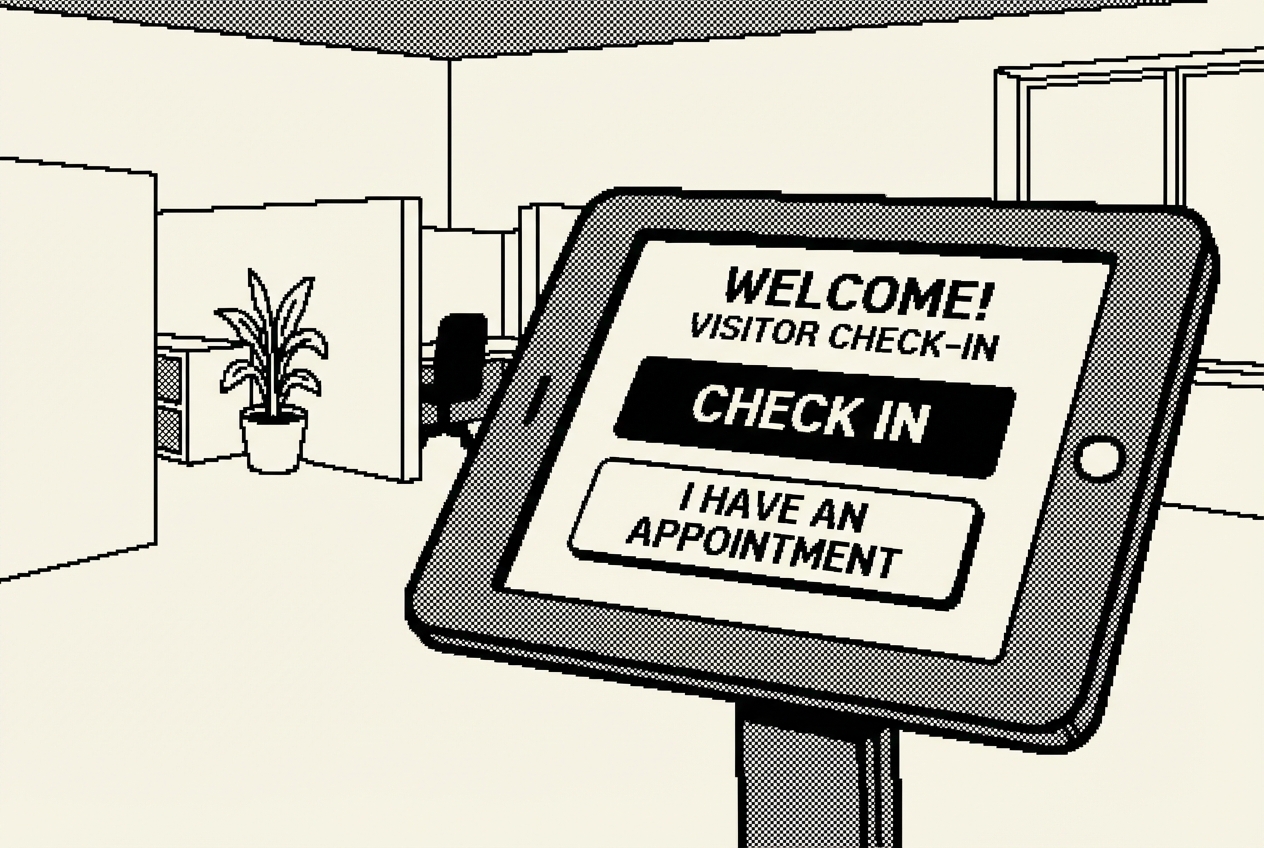
AI Studio generates a clean, professional check-in kiosk. Big touch targets for tablet use. A simple three-field form. A welcoming confirmation screen. And an admin panel tucked away for you to review the logs.
The main screen is deliberately simple. A company name at the top, a warm greeting, and a single large "Check In" button in the center of the screen. No login. No password. No terms to agree to. Just one obvious action for a visitor who may have never been to this office before.
For the host notification, Lisa set up a Slack webhook in about ten minutes. She created a dedicated #front-desk channel, generated a webhook URL from Slack's settings, and pasted it into the app's configuration. Every check-in posts a formatted notification: the visitor's name, company, host, purpose, and timestamp. The notification goes to a Slack channel that everyone already uses. No additional app to install.
Deploy on Railway. Load the URL on your front desk tablet. Visitors check in, hosts get notified, and you have a log.
One practical tip: position the tablet where visitors naturally stop when they enter. Lisa moved it to a small stand just inside the front door, at standing height. This small change increased the check-in compliance rate from about 60% to roughly 90%.
Envoy ($3,600/yr), SwipedOn ($3,600/yr), Proxyclick ($3,600/yr)
Full cancellation, minus ~$60/yr Railway hosting
Someone in accounting says the bathroom faucet is leaking. They tell you in the hallway. You make a mental note. Then you get pulled into a meeting about the new seating arrangement, and by the time you sit down at your desk, the faucet is gone from your memory. Three days later, accounting sends a pointed email about the "ongoing plumbing situation."
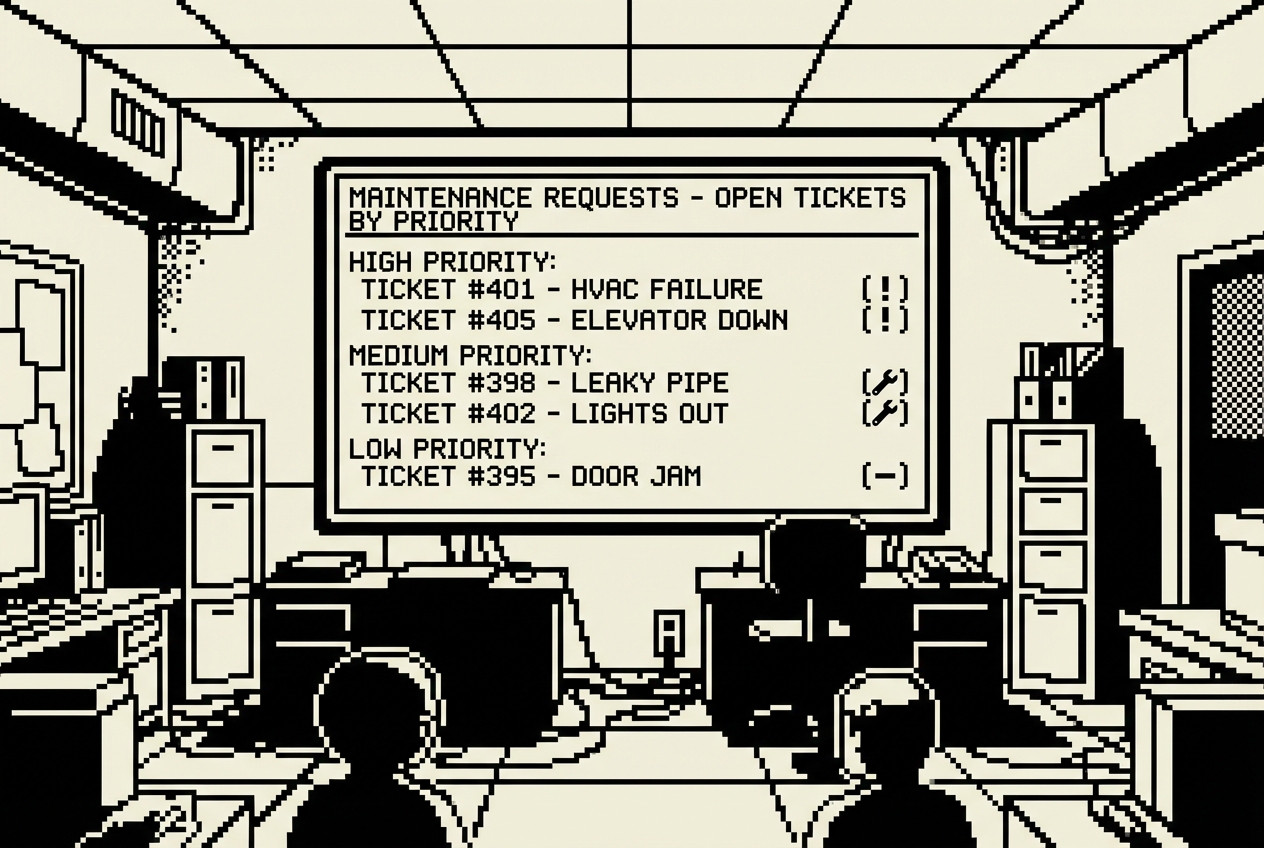
This is the maintenance request cycle in most small offices. Problems get reported via Slack, email, hallway conversations, sticky notes (always sticky notes), and the occasional passive-aggressive comment in a team meeting. There's no central place to track what's been reported, what's in progress, and what's been resolved.
The reporting isn't the hard part. People are generally good at telling you when something is broken. The hard part is the triage, the tracking, and the follow-up. Lisa typically handles 8-12 maintenance issues per month, ranging from "the projector in Cedar is flickering" to "there's a weird smell coming from the kitchen." Each one requires a different response, and keeping track of which issue needs which response, who she's contacted, whether they've responded, and whether the fix actually worked, all of this lives in Lisa's memory and a smattering of Slack threads.
Facility management tools like UpKeep, Fiix, and FMX solve this for large operations. For a single-floor office where the maintenance "team" is Lisa and the building super's phone number, these tools are wildly overbuilt. UpKeep includes asset lifecycle tracking, preventive maintenance scheduling, parts inventory management, and work order automation with technician dispatch. Lisa doesn't have technicians. Lisa has a building super named Ray who answers about 60% of his calls.
$2,400 a year for a facility management tool. Lisa uses maybe 5% of its features.
The cost of lost requests is higher than the cost of the tool. When a maintenance issue falls through the cracks, it signals to the entire office that reporting problems is pointless. Lisa once discovered that the sales team had been using a conference room with a broken thermostat for six weeks because "we figured nobody was going to fix it anyway." The room was 82 degrees. The thermostat fix took fifteen minutes once someone actually reported it through a channel Lisa could track.
This is a Claude Code build. Claude Code is a terminal-based AI coding agent, which means you'll be working in your computer's terminal rather than a browser.
Claude Code builds this as a web application. It handles the server, the database, the forms, the admin view, and the Slack integration. You'll see it working file by file, creating the project structure, writing the code, and setting up the data storage.
The employee-facing side is a clean, simple form. The admin view is the control center. At the top, the dashboard shows key metrics: open requests, average resolution time, and a breakdown by category. Below the dashboard, a filterable table shows every request with expandable rows for full details, timelines, and notes.
The Slack integration is the key piece. When someone submits a request through the web form, a message appears in a designated Slack channel. Lisa sees it immediately. She doesn't have to check a separate tool.
Lisa discovered an important behavioral shift in the first week. People started submitting more requests, not because more things were breaking, but because reporting was now easier than mentioning it in the hallway. Within two weeks, the tracker had surfaced six issues that people had been silently tolerating: a wobbly chair, a monitor with a dead pixel strip, a door that didn't close properly, a desk lamp with a frayed cord (an actual safety hazard), a stained carpet tile, and a window that wouldn't lock.
Deploy it on Railway for $5/month so everyone in the office can access the submission form from their browser.
The resolution time metric has become Lisa's favorite feature. Before the tracker, she had no data on how long maintenance requests took to resolve. The tracker showed the real average: 4.2 days. This insight led to a practical change: Lisa now keeps a small toolkit and a stock of common replacement items in the supply closet. The average resolution time dropped to 2.3 days within the first quarter.
Lisa also found the tracker useful for building the case for larger maintenance investments. After three months of data, the tracker showed that "Technology" was the most common category, with 14 requests related to monitors, projectors, and docking stations. She presented this data to the CFO alongside a proposal to replace the oldest monitors. The request was approved in one meeting because the data was specific.
UpKeep ($2,400/yr), Fiix ($2,400/yr), FMX basic ($2,400/yr)
Full cancellation, minus ~$60/yr Railway hosting
Office budgets are a special kind of spreadsheet problem. They're not complicated enough to justify enterprise financial software, but they're messy enough that a basic spreadsheet becomes unmanageable.
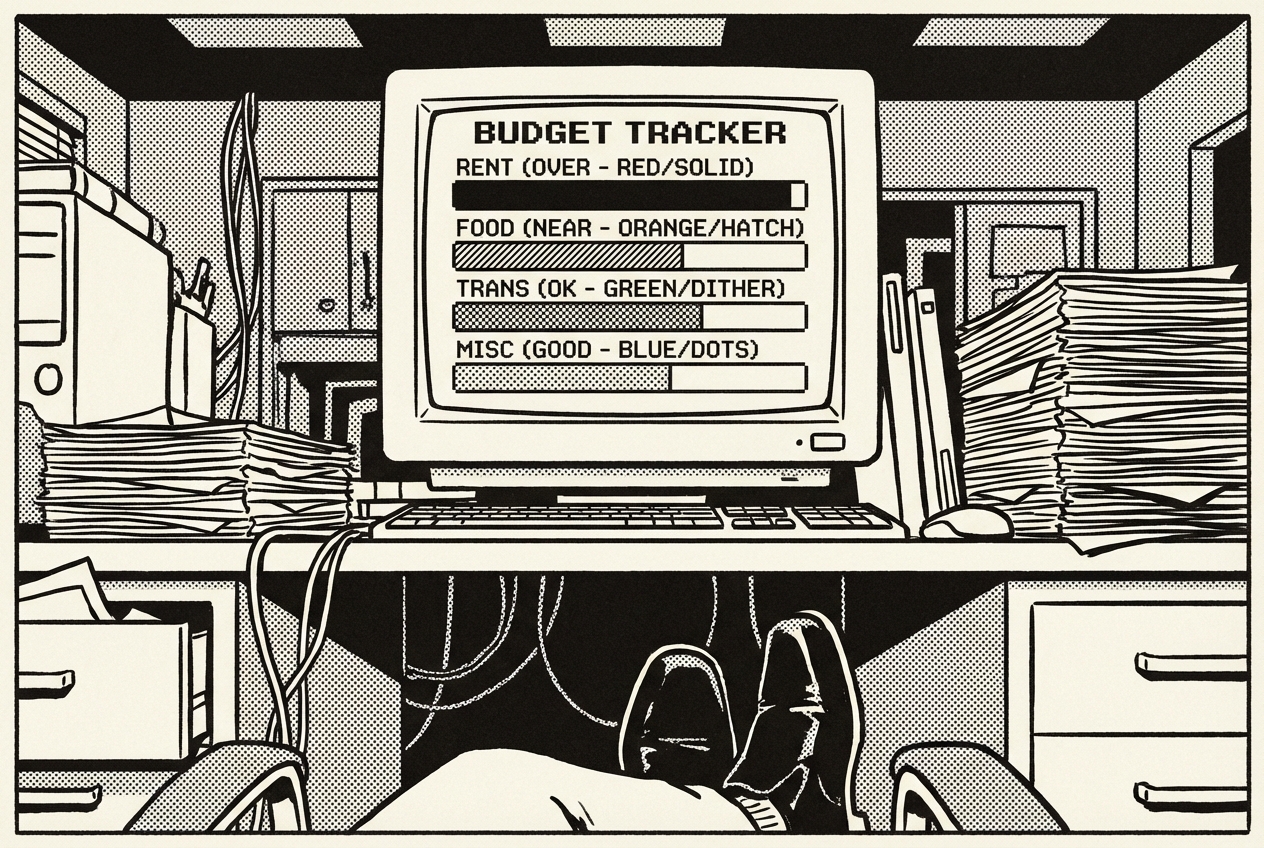
Here's what a typical office budget looks like: 8-12 spending categories (supplies, equipment, maintenance, events, food/beverages, subscriptions, facilities, travel), each with a monthly budget allocation, actual spending that comes in from various sources, and a running comparison of budget versus actuals.
The spreadsheet version of this works until it doesn't. Formulas break when someone adds a row in the wrong place. The formatting gets weird when you copy last month's tab for this month. And the year-over-year comparison that your CFO asks for every quarter requires thirty minutes of manual work to assemble.
Lisa has maintained variations of the same budget spreadsheet for four years. Last September, a SUM formula in the Equipment category was referencing rows 12-24, but Lisa had added a new line item in row 25 that wasn't included in the sum. The budget showed $800 underspent in Equipment when it was actually $200 overspent. She didn't catch it until the CFO asked why Equipment was under budget for the first time in three years. The correction took an hour. The embarrassment lasted longer.
The emotional relationship office managers have with budget spreadsheets is worth acknowledging. It's not just a tool, it's a source of low-grade anxiety. Every time Lisa opens the spreadsheet, there's a moment of "is this going to be the time I discover it's wrong?"
Budget tracking add-ons and standalone tools run about $100 a month. For what is fundamentally a structured math problem, that's $1,200 a year for features that should be built into whatever you're already using to track numbers.
This is a Claude Artifacts build. Open Claude, have a conversation.
Claude builds an interactive budget tracker. You see your categories listed with progress bars, green for healthy, red for overspent. Adding an expense is a click: pick the category, enter the amount, add the vendor name, done.
What appears on screen is a clean financial dashboard. Across the top, summary cards show: Total Monthly Budget, Total Spent, Remaining, and Budget Utilization as a percentage. Below the summary, each category gets its own row with a progress bar. The visual language is instantly readable, you scan the rows and your eye catches the red bar without needing to read any numbers.
The historical view is what makes this worth the switch from a spreadsheet. Instead of copying tabs and building charts manually, the tracker maintains a rolling 12-month view that updates automatically as you add expenses. Your quarter-end report to finance goes from a 30-minute spreadsheet wrestling match to a screenshot.
The year-over-year comparison is particularly useful at budget planning time. When the CFO asks "what should the Events budget be for next year?" the tracker shows the trend: Events spending has increased 8% year-over-year, driven primarily by Q4. The data supports a 10% increase request. The conversation goes from "I think we need more" to "the data shows we need 10% more, and here's why."
There is a behavioral change that the tracker enabled. When Lisa tracked the budget in a spreadsheet, she checked it once a week at best. The Artifact tracker is a browser bookmark that opens in one click. Lisa started checking it daily because it took three seconds and the color-coded progress bars answered her question immediately: "Am I on track this month?" The daily visibility led to earlier interventions.
Custom finance tools ($1,200/yr), budget tracking modules ($1,200/yr)
Full cancellation of budget tracking tool
Every office has a shared drive. And every shared drive is a disaster.
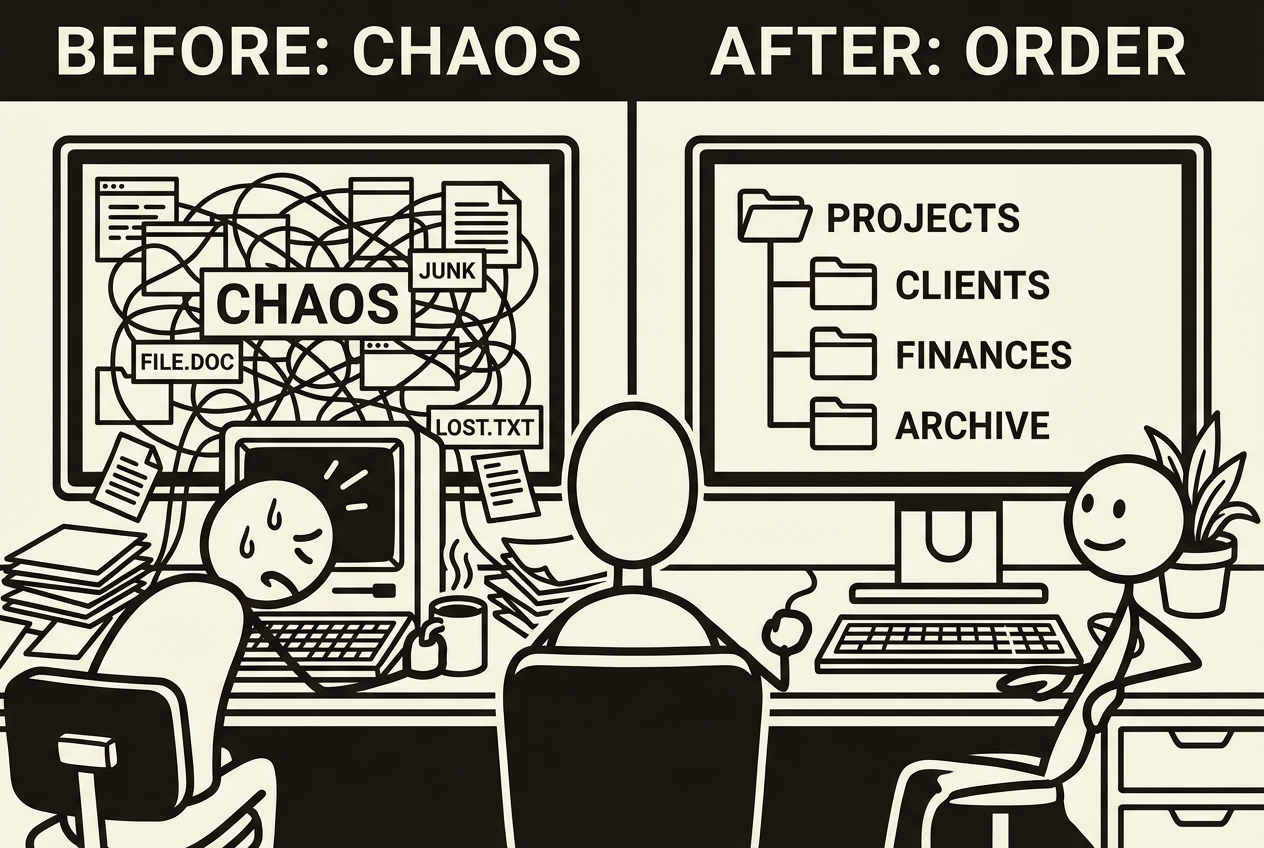
Somewhere in your company's Google Drive, Dropbox, or OneDrive, there's a folder called "Policies" that contains three versions of the employee handbook (one from 2021, one called "FINAL," and one called "FINAL_v2_updated"), a benefits summary that references a plan the company switched away from last year, and an emergency evacuation map for the old office.
Nobody knows which version of any document is current. Nobody deletes old versions because what if someone needs them. And when a new hire asks where to find the PTO policy, they get sent a link that may or may not point to the right document, depending on who sends it.
The scale of the problem is easy to underestimate because it accumulates slowly. Nobody wakes up one morning and says "let's make our shared drive unusable." It happens over years. By the time Lisa inherited the shared drive, there were 14 top-level folders, at least 6 of which contained overlapping content, and the search function returned so many results that people gave up and asked Lisa directly. "Do you know where the vacation policy is?" was a question Lisa heard roughly once a week.
Document management systems like DocuWare and M-Files exist to solve this, and they do, with version control, metadata tagging, automated workflows, and compliance features. For $200 a month. For an office that just needs its shared drive to be organized and its policies to be findable.
The problem is organizing, not software. What you need isn't a new system. You need someone (or something) to go through the existing mess, rename files consistently, identify outdated documents, build an index, and make it findable.
This is a Cowork build. Cowork is an autonomous agent that works with your files, which makes it perfect for the task of organizing your actual files.
Give Cowork access to your shared drive folder (or a synced local copy of it) and start with an audit:
Cowork reads through every file, builds a comprehensive inventory, and flags problems. You'll get a report that says things like: "employee-handbook-FINAL_v2.docx and employee-handbook-2024.docx appear to be the same document. The benefits-summary.pdf references BlueCross Plan A, which may be outdated."
The inventory report that Cowork produces is the first time Lisa has ever seen the full picture of what lives on the shared drive. The report catalogs 342 files. Of those, Cowork identifies 23 pairs of likely duplicates, 47 documents that reference information that appears outdated, and 31 files that could not be categorized because their names are so uninformative that Cowork had to read their contents to determine what they were.
Now you make decisions. You tell Cowork which version is current, what should be archived, and what should be deleted. Then you give it the reorganization task:
Cowork reorganizes your drive, renames files consistently, builds a clean index, and moves outdated documents to an archive folder where they're preserved but out of the way.
The resulting folder structure is clean enough to make Lisa slightly emotional. Where there used to be 14 disorganized top-level folders, there are now 5: Policies, Benefits, Procedures, Templates, and Archive. Each subfolder contains clearly named files:
The index.md file at the root is the single most useful document in the company. It lists every current document with a one-line description, organized by category.
Lisa shared the index link in the #general Slack channel on a Monday morning. By Wednesday, the "Do you know where the [document] is?" questions had stopped. Completely. People bookmarked the index and used it. The change was immediate and dramatic because the problem was never that people couldn't find documents. It was that they couldn't find the right documents among the chaos. Remove the chaos, and the search problem solves itself.
The ongoing maintenance is minimal. Once a quarter, ask Cowork to re-audit the folder and flag anything that's drifted. Ten minutes, four times a year. Total maintenance time: about 40 minutes per year.
One unexpected benefit: the organized drive has reduced internal email volume. Before the reorganization, when someone needed the benefits summary, they would email Lisa or HR. After the index link was shared, people self-served. Lisa estimates this has eliminated 5-10 internal emails per week, which doesn't sound like much until you multiply it by 52 weeks.
DocuWare ($2,400/yr), M-Files basic ($2,400/yr)
Full cancellation of document management system
There's something worth naming about what happened in this chapter.
None of the tools Lisa built were technically impressive. There was no machine learning, no neural network, no algorithm doing something humans couldn't do. Every single one of her builds solved a problem that she already knew how to solve. She knew how to track supplies. She knew how to manage vendors. She knew how to organize a shared drive.
What changed was the economics. The distance between knowing what you need and having a working tool used to be measured in procurement cycles, vendor evaluations, budget approvals, and monthly subscription fees. Now it's measured in a conversation and twenty minutes.
This matters more for office management than for any other department in the company. Because office managers are the people who feel the friction of every bad process, every missing tool, and every overpriced subscription, but rarely have the budget authority to fix things quickly. The request goes up, gets evaluated, gets approved (maybe), gets implemented (eventually), and by then the problem has either gotten worse or everyone has found a workaround.
Lisa's situation is common enough to have a pattern. The office manager who knows exactly what tool the office needs, can describe it in precise detail, has been requesting budget for it for two quarters, and is still waiting for approval. The irony is sharp: the person closest to the problem has the least authority to solve it through traditional channels.
What Lisa did on that Monday morning, building and deploying tools between meetings, isn't a one-time event. It's a new capability. The next time someone suggests the office needs an app for something, Lisa doesn't need to start a vendor evaluation. She doesn't need to schedule demos, compare pricing tiers, or write a business case.
She just builds it.
The shift is from consumer to creator, and it happens faster in office management than in any other department because the tools office managers need are the simplest tools in the company. Not simple in the dismissive sense. Simple in the structural sense: they track things, display things, organize things, and alert people. These are the operations that AI tools handle most naturally.
There is a second-order effect that Lisa noticed about a month into using her new tools. Other departments started asking her how she built them. The head of marketing saw the event planning dashboard and asked if Lisa could build something similar for tracking campaign assets. An engineer saw the visitor check-in kiosk and asked about building a similar interface for their lab access system. Lisa hadn't set out to become the company's internal tool builder. But the skills she developed building her own tools turned out to be transferable.
The Lisa Principle, if we are naming it, is this: the person who understands the problem best is now the person who can build the solution. Not someday, after procurement approves it. Not eventually, after the vendor implements the feature. Now, in the time between one meeting and the next. That is new. That changes the math on every software purchase an office manager will ever make.
Every number below matches the individual use case breakdowns above. Lisa's office management stack went from ten overbuilt tools to solutions built exactly for her office, her vendors, her rooms, her categories.
| Use Case | Tool Replaced | Action | Savings |
|---|---|---|---|
| 1. Office Supplies Tracker | Sortly / inFlow | Cancelled | $1,200 |
| 2. Meeting Room Booking | Robin / Skedda | Cancelled | $2,400 |
| 3. Expense Report Generator | Expensify / Ramp | Cancelled | $3,000 |
| 4. Vendor Management Dashboard | Gatekeeper / Precoro | Cancelled | $3,600 |
| 5. Office Seating Chart | OfficeSpace / SpaceIQ | Cancelled | $2,400 |
| 6. Event Planning Dashboard | Eventbrite / Splash | Cancelled | $2,400 |
| 7. Visitor Check-in App | Envoy / SwipedOn | Cancelled | $3,600 |
| 8. Maintenance Request Tracker | UpKeep / Fiix | Cancelled | $2,400 |
| 9. Office Budget Tracker | Budget tracking modules | Cancelled | $1,200 |
| 10. Document Organizer | DocuWare / M-Files | Cancelled | $2,400 |
| Gross Office Management SaaS Savings | $24,600/yr | ||
The AI tools used in this chapter are shared across departments. Office management's proportional share:
| Tool | Monthly Cost | Office Mgmt Share | Annual |
|---|---|---|---|
| Claude Max (Cowork, Code, Artifacts) | $200/mo | ~$50/mo allocated | $600 |
| ChatGPT Plus (Codex App) | $20/mo | ~$5/mo allocated | $60 |
| Google AI Studio | Free | $0 | $0 |
| Railway (3 deployed apps) | ~$15/mo | ~$15/mo | $180 |
| Office Management's Share of Tool Costs | $840/yr | ||
These tools are not replaced by anything in this chapter:
Google Calendar: The meeting room display supplements calendar-based booking, it doesn't replace the calendar itself. People still use calendar invites for meetings.
Slack: Multiple tools in this chapter use Slack webhooks for notifications. Slack is the communication layer, not a tool being replaced.
Shared drive infrastructure (Google Drive, Dropbox, OneDrive): The document organizer reorganizes what's on the drive. It doesn't replace the drive itself.
Accounting software: The expense report and budget tools generate reports for finance. They don't replace QuickBooks, Xero, or whatever your accounting team uses.
Building management systems: If your building has a centralized HVAC, security, or access control system, those stay. The maintenance tracker tracks requests, not building infrastructure.
Six of ten use cases are Beginner level, a conversation with an AI tool. Two require Comfortable, following step-by-step instructions. Two require Intermediate, some comfort with web concepts and deployment. Nobody in this chapter wrote a line of code by hand. Nobody opened a terminal except for the maintenance tracker build, and even there, Claude Code did the actual building.
Three use cases (meeting rooms, visitor check-in, maintenance tracker) require Railway hosting at about $5/month each. These are web applications that need to be accessible to the whole office. If the app needs a change, you ask the AI tool that built it to make the change. The maintenance model is conversational, not technical.
Claude Artifacts (supply tracker, budget tracker) store data in the browser. If you clear your browser data, the information resets. For tools where data persistence matters, export regularly or use the Railway-deployed versions. This is a tradeoff: zero setup cost versus data durability.
Prices cited reflect typical small-to-mid-market configurations as of early 2026. Your actual costs may vary based on team size, feature tier, and billing cycle. Check current pricing before making cancellation decisions.
$23,760 is not an abstraction. For a 45-person company, that's a meaningful line item. Lisa was spending $24,600 a year on tools she used at 15% capacity. She replaced them with tools built exactly for her office, her vendors, her rooms, her categories, for less than $1,000 a year.
The savings are real. But the bigger shift is subtler. Lisa stopped being a software administrator and started being a tool builder. The next problem that lands on her desk, the one nobody's thought of yet, won't require a vendor search. It'll require a conversation.
And she's gotten good at those.
The sticky note on the supply closet door, the one that started this chapter, the one Lisa couldn't read? It said "toner." She knows because Derek told her later that day, sheepishly, when he saw the supply tracker on her screen showing toner at two cartridges, one above the reorder threshold. "I was going to leave you a note," he said. Lisa pointed to the tracker. "I know," she said. "I already ordered it."