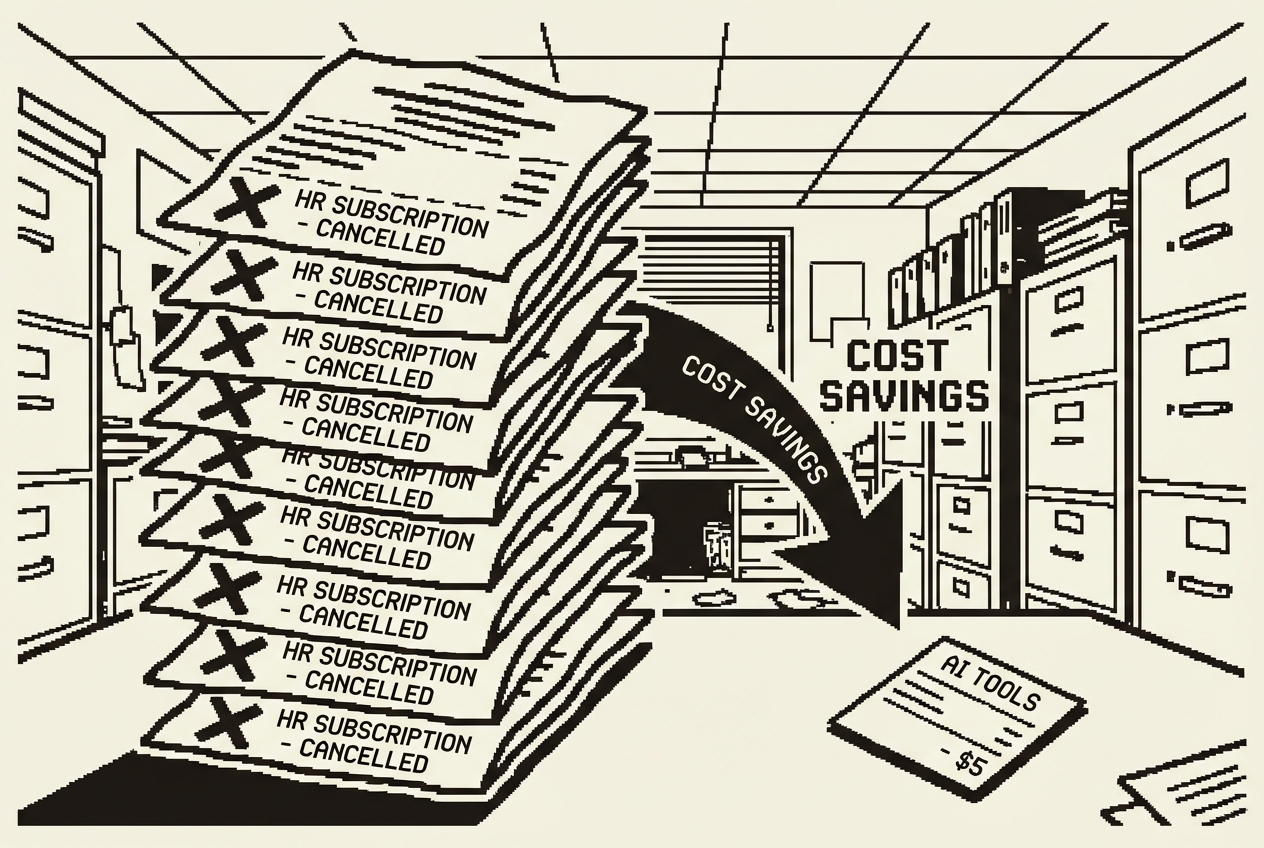
James's Monday morning: seventeen tabs, one cold coffee, and a new hire starting in thirteen minutes
Ten subscriptions you can cancel, downgrade, or stop renewing. One HR manager, five weeks, $25,040 back in the budget.
James had seventeen tabs open and a cold coffee. It was Monday morning, and somewhere between the new hire starting in engineering and the benefits enrollment deadline creeping closer, he'd lost track of which fire to fight first.
The new hire, Aisha, was supposed to start at 9 AM. It was 8:47. James still didn't have her onboarding packet assembled. Her welcome letter needed her role title, her manager's name, her start date, her first-week schedule, and links to a dozen systems she'd need access to. He had all of this information, scattered across emails, a shared drive folder that hadn't been reorganized since 2021, and a BambooHR instance that theoretically held everything but practically required four clicks to reach any single data point.
He opened BambooHR's onboarding module. He'd paid $2,400 a year for this feature. It was supposed to automate the welcome experience. What it actually did was provide a template with fourteen blank fields that James filled in manually every time someone new started. The template was the same for a senior engineer and a marketing intern. The "personalization" was limited to swapping out the name and start date. The rest, the training schedule, the team intro plan, the role-specific reading list, James assembled by hand.
By 9:15, Aisha had her packet. It was fine. It was always fine. But "fine" was the most expensive word in HR.
Something had to change. Not a bigger HR team. Not a more expensive platform. Something different. James found it on a Tuesday afternoon, in a conversation with a friend who ran HR at a startup half his company's size. She'd stopped using three of her SaaS tools and started using AI directly. Not in a vague way. In a specific, measurable, "I cancelled Enboarder last month" way.
That conversation cost nothing. What followed saved James's department over $27,000 a year.
Every new hire deserves a first day that doesn't feel improvised. They should walk in, virtual or physical, and find a welcome packet that speaks to them specifically. Their role, their team, their schedule for the first week, the tools they'll need, the people they should meet. This is the first impression your company makes as an employer, and it sets the tone for everything that follows.
Most HR teams know this. Most HR teams also assemble these packets by hand.
The onboarding platforms promise automation, but what they deliver is a slightly fancier template. BambooHR's onboarding module runs about $2,400 per year for a company your size. Enboarder charges more and adds workflow automation that's powerful in demos and confusing in practice. The automated parts, sending a welcome email at a scheduled time, triggering a Slack notification to the team, those are the parts that were never the bottleneck. The bottleneck was always content assembly: pulling together the right documents, the right schedule, the right contacts for this specific person joining this specific team.
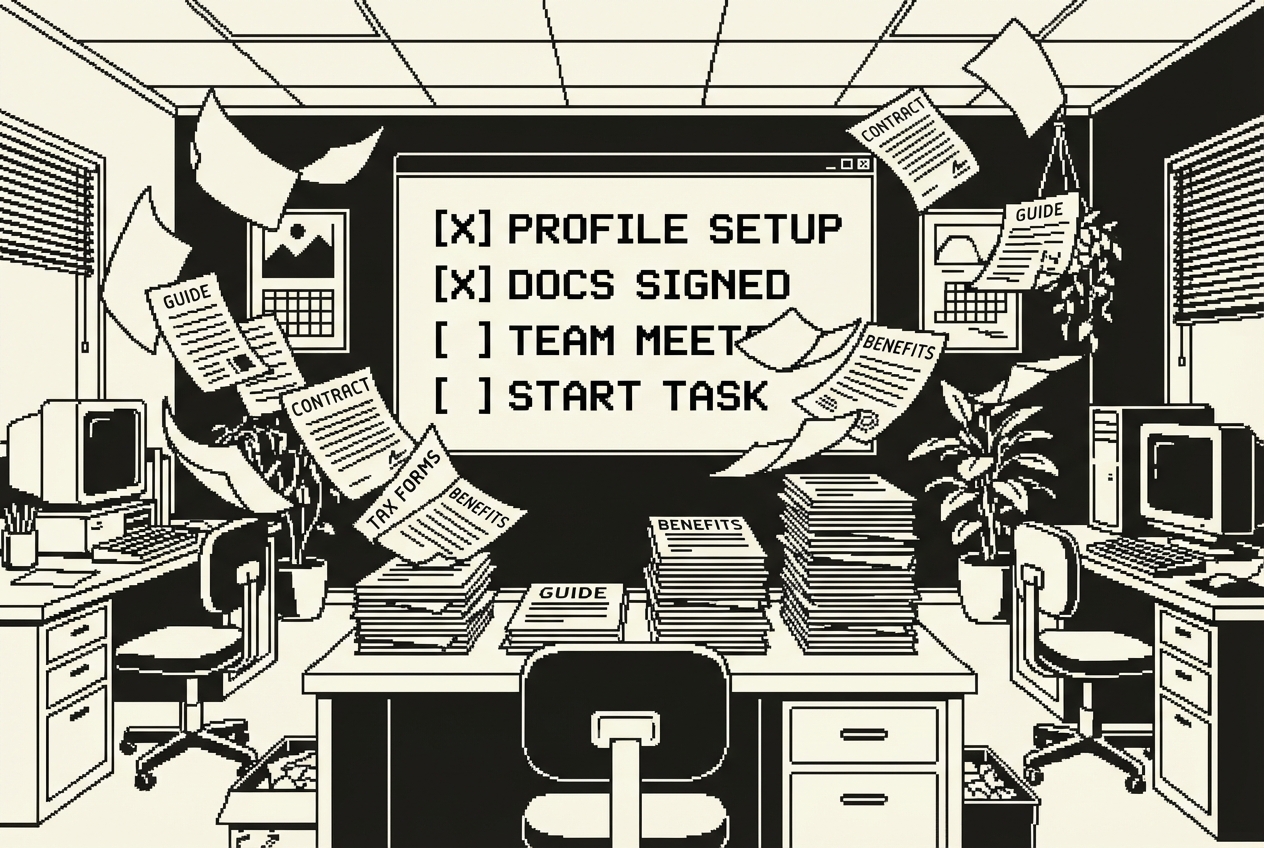
James had tracked it once, during a particularly busy quarter when four people started within three weeks. He spent a combined eleven hours on onboarding packets. Eleven hours of copying, pasting, customizing, double-checking, and formatting documents that, at their core, contained the same information rearranged for different departments. The annual time investment in a task that feels like it should take fifteen minutes is staggering when you add it up.
This is where Cowork, an autonomous agent that works with your files, earns its keep on day one. Start by organizing what you already have. Create a folder called /onboarding on your machine. Inside it, put the files you already use: your company welcome letter template, your general first-week checklist, your IT setup requirements, your benefits enrollment summary. Then create subfolders by department.
This setup takes about an hour the first time. You're not creating new content. You're consolidating content that already exists into a structure that an AI agent can navigate.
Cowork reads your templates, pulls the department-specific files, and generates a complete, personalized packet. Not a template with blanks. A finished document with Aisha's name, her specific schedule, her team's meeting cadence, and her manager's contact details woven throughout.
James noticed something after the third onboarding packet Cowork generated. The packets were more consistent than the ones he'd assembled by hand. When James was rushing, which was most of the time, he'd forget things. Cowork didn't forget these things because they were in the source files, and Cowork read every source file every time. The consistency wasn't aspirational. It was automatic.
The time savings compound in ways that aren't obvious at first. James used to spend the morning before a new hire's start date assembling the packet. Now, James generates the packet two days before the start date, reviews it that evening, and sends it the day before. The new hire receives their welcome materials before they walk in the door. First impressions start before day one.
BambooHR onboarding module (~$2,400/yr), Enboarder, or similar onboarding workflow platforms
Full cancellation of onboarding module add-on
Every HR department has policies. Parental leave, remote work, travel reimbursement, PTO accrual, dress code, disciplinary procedures, harassment reporting. These live in an employee handbook that someone wrote two years ago, updated once since, and distributed as a PDF that approximately 12% of employees have ever opened.

When employees have questions, they don't search the handbook. They email HR. James kept an informal tally one month. He received 41 policy-related questions via email and Slack. Thirty-four of them had direct, unambiguous answers in the employee handbook. That means 83% of the time James spent answering policy questions was spent being a search engine for a document everyone already had access to.
The enterprise solution is an HRIS self-service portal. BambooHR's upgraded tier, HR Cloud, or similar platforms offer searchable policy databases with employee-facing interfaces. These run $3,600 per year and up. They work, in the sense that employees can technically search for policies. But "technically searchable" and "actually useful" are different things. Employees search for "vacation days" and get zero results because the policy is filed under "Paid Time Off."
This is where you combine a desktop command center for parallel AI agents with push-to-deploy cloud hosting. Codex builds the app. Railway makes it accessible to your entire team.
First, gather your policy documents. Your employee handbook, your state-specific addendums, your benefits summary, your IT acceptable use policy. Put them in a folder called /hr-policies on your machine.
Codex will spin up one or more parallel agents. One handles the document processing, figuring out how to index and reference your policies. Another builds the user interface. The result is a lightweight web application that understands natural language. An employee types "can I work remotely from another state" and gets the relevant section of your remote work policy, summarized in plain language, with a link to the full policy document.
To make this accessible to your team, push the code to a GitHub repository and connect it to Railway. Railway's hobby plan costs $5 per month and gives you a live URL in minutes. When policies change, update the source documents in your folder and redeploy. No vendor support ticket, no waiting for a platform to re-index.
James tested the portal before rolling it out. He typed the ten most common questions from the previous month and checked every answer. Nine were accurate and clearly sourced. One, about the interaction between state and federal family leave rules, was partially correct but missed a nuance. He updated the source document, redeployed, and the portal answered correctly on the second test. The total calibration time was about forty minutes.
By Friday, the portal had been used over 40 times. James's policy-related emails that week: two. Both were genuine edge cases. Both deserved his time and expertise.
BambooHR self-service portal upgrade (~$3,600/yr), HR Cloud, or similar HRIS self-service modules
Full cancellation of self-service portal upgrade, minus ~$5/mo Railway hosting
If you run HR at a company of any size, you know this dance. An employee walks up to your desk, sends you a Slack message, or fires off an email with some version of: "How many PTO days do I have left?"
Simple question. Not a simple answer. You open the leave tracker. Maybe it's a spreadsheet, maybe it's a module inside your HRIS. You find the employee's record. You check their accrual rate, which varies by tenure. You subtract what they've already used this year. You account for the three days they have pending approval. You check whether they have any carryover from last year and whether that carryover expires next month.

Leave management add-ons like Timetastic or the PTO module in your HRIS cost around $1,200 per year. They automate the request-and-approval workflow, which is genuinely useful. But many of them still can't answer the question employees actually ask: "If I take a week off in August and three days in November, how many days will I have left at year end?"
That projection math, the "what if I do this" calculation, is what employees actually need and what most tools don't provide. They show you what you've used. They show you what you have. They don't show you what happens under different future scenarios.
Open Claude and ask it to build you an Artifact, an interactive tool built inside a conversation.
Claude generates a working calculator right in the conversation. It's interactive. Employees input their numbers and see results immediately. The interface is clean: input fields on the left, results on the right, projection section below. No login screen, no account creation.
The projection feature is the part that changes the dynamic between HR and employees. An employee opens the calculator, enters their balance, and adds hypothetical future days. The calculator shows, in real time, their projected year-end balance. The "what if" questions that used to require an email to James and a 24-hour wait for a response now get answered in seconds, by the employee, on their own time.
Click "Share" and you get a link. Send that link to your entire company. No login required, no app to install, no subscription to manage. Anyone with the link can use the calculator with their own numbers. Employee data stays on their device. Nothing is stored or transmitted.
The first week, 23 employees used it. James received one leave balance question that week, down from the usual five or six. That one question was from an employee navigating a complex medical leave situation that genuinely required HR's involvement.
Timetastic (~$1,200/yr), PTO management modules, or dedicated leave tracking add-ons
Full cancellation of leave management add-on
Open enrollment is the annual event that proves how badly HR tools serve actual humans. Every year, you present employees with three to five health plan options. Each plan has different premiums, deductibles, copays, coinsurance percentages, out-of-pocket maximums, and network restrictions. You assemble a comparison document, usually a table in a PDF or a slide deck, and distribute it with a note that says "please review carefully and select your plan by November 15."
Then the emails start. "Which plan is cheaper if I have two kids and we go to the doctor a lot?" "If I'm single and healthy, does the HDHP with HSA actually save me money?" These aren't lazy questions. They're legitimate calculations that require modeling scenarios against plan structures. The comparison document gives them data. What they need is analysis.

Benefits enrollment tools and decision-support platforms handle this. ALEX by Jellyvision, Benefitfocus, or enrollment wizard features in your benefits admin portal. These run $1,800 per year and up. For a 50-person company with three medical plans and a dental/vision option, they're a sledgehammer for a nail.
The core issue is this: employees don't need a platform. They need a calculator. Something that takes their specific situation and tells them which plan costs the least. That's a math problem.
Ask Claude to build you a benefits comparison Artifact.
Claude builds a working tool that lets each employee input their own situation and see which plan costs them the least. This is more than a comparison chart. It's a personalized calculator. An employee with a family of four who visits the doctor twelve times a year gets a different recommendation than a single employee who goes once annually. The tool shows its math.
James tested the calculator with his own family's situation first. Family of four, moderate healthcare usage, two prescription medications, one anticipated specialist visit. The calculator recommended the PPO Standard plan and showed that the HDHP, which James had chosen the previous year because the premiums were lower, would actually cost $940 more annually when accounting for the higher deductible and copays against his family's usage pattern.
James's open enrollment email volume dropped from roughly 30 questions to 8. The eight that remained were genuinely complex: questions about coordination of benefits with a spouse's employer, questions about FSA versus HSA tax implications, questions about coverage during FMLA leave. These are the questions that deserve HR's attention and expertise.
Benefits enrollment decision-support tools (~$1,800/yr), Jellyvision ALEX, or enrollment wizard features
Full cancellation of benefits decision-support platform
Writing a job description shouldn't take half a day, but it does. You start with a template from the last time you hired for a similar role. You update the title, tweak the requirements, adjust the years of experience. Then you realize the template uses language that hasn't been reviewed since before your DEI initiative. It says "he or she" instead of "they." It asks for a "rockstar" developer, which your recruiting team has asked you to stop doing.

The language review alone is a minefield. James had learned this the hard way when an engineering job posting used the phrase "must be able to work in a fast-paced, high-pressure environment." A candidate who didn't apply later told a mutual connection that the language signaled burnout culture.
Dedicated JD writing tools exist. Textio scores your language for inclusivity and effectiveness. JDXpert provides structured templates and compliance checks. These cost around $1,200 per year and work well for high-volume hiring. If you post twelve roles a year, you're paying a hundred dollars per job description for a tool you use once a month.
Google AI Studio, a free browser-based platform that builds apps from descriptions, handles this well. Go to AI Studio and use Build mode.
AI Studio builds this as a React application in your browser. Use Annotation mode to point at specific elements and adjust, maybe you want the salary range field to be required rather than optional, or you want to add a field for remote work stipend details.
James ran his most recent job posting, a Product Manager role, through the generator as a test. The generator produced a cleaner, more inclusive description in thirty seconds than James had written in two hours. It caught three things James had missed: a gendered pronoun in the responsibilities section, a requirement for "native English speaker" that should have been "strong English communication skills," and a qualification for a specific university degree that wasn't actually necessary for the role.
Have your hiring managers use the tool directly. They input what they need, the tool generates a first draft, and they send it to you for final review. This reverses the workflow: instead of you writing and them revising, they draft and you polish.
Textio (~$1,200/yr), JDXpert, or similar JD optimization and writing tools
Full cancellation of JD writing and optimization tool
Here's how most interview scorecards work at companies without a dedicated ATS or interview platform: someone created a Google Doc template three years ago. It has a header for the candidate's name, the role, the date, and the interviewer. Below that are five or six criteria with a 1-5 rating scale next to each.
Every interviewer fills this out slightly differently. One gives 4s across the board because they don't want to seem harsh. Another gives 2s for "culture fit" because the candidate seemed quiet, which says more about the interviewer's bias than the candidate's fitness. When the hiring committee meets to discuss candidates, everyone is working from different standards applied to the same template.

Interview management tools solve this. Greenhouse's scorecard features, BrightHire, or similar platforms provide structured evaluation frameworks with guided rubrics. They cost around $1,800 per year, and for companies hiring dozens of people annually, they're worth it. For a 50-person company that hires eight to twelve people a year, that's $150 to $225 per hire for a scorecard tool.
Ask Claude to build this as an Artifact.
Claude generates a working scorecard. Each evaluation category has a clear rubric, so interviewers aren't guessing what a "4" means. The evidence-based notes field prompts them to record what the candidate actually said or did, not their gut feeling.
The weighted scoring means you can value technical skills more heavily for an engineering role and strategic thinking more heavily for a leadership role. James configured the weights during the initial setup: for engineering roles, technical depth carries 25% of the total score, problem-solving 20%, and communication 15%.
Share the link with every interviewer before they walk into a conversation. They open it on their laptop or tablet, score as they go, and copy the completed scorecard into your ATS at the end. Everyone uses the same rubric, the same scale, the same evidence standard.
The hiring committee meeting was different. Instead of comparing abstract 1-5 numbers that meant different things to different people, the committee reviewed evidence. The conversation was about what candidates demonstrated, not about how interviewers felt.
Greenhouse scorecard features (~$1,800/yr partial), BrightHire, or standalone interview evaluation tools
Keep your ATS for applicant tracking. Replace only the scorecard and evaluation component.
If there's one HR process that consistently disappoints everyone involved, it's the annual performance review. Managers dread writing them. Employees dread reading them. HR dreads administering them. The fundamental problem is that most performance review templates are generic by design. Your performance management platform provides a framework: rate these competencies on a scale, set goals for next quarter, write a narrative summary. The framework is the same for a senior engineer and a junior account manager.

The personalization, the part that makes a review actually useful, falls entirely on the manager. And most managers, being busy humans who are also avoiding this task until the deadline, produce reviews that read like they could apply to anyone in the same role. "Demonstrates strong communication skills." "Meets expectations in project delivery." These are performance Mad Libs, not reviews.
James had a ritual every review cycle that he privately called "the nudge cascade." Two weeks before reviews were due, he sent a reminder email. One week before, a follow-up. Three days before, a Slack message. On the deadline, a direct message to every manager who hadn't submitted. By the time all 50 reviews were submitted, James had spent more time chasing managers than reviewing the content they produced.
Lattice runs about $4,800 per year for a 50-person company. 15Five is in the same range. All of them provide the structure. None of them provide the substance.
Create a folder called /performance-reviews on your machine. Inside it, organize by employee. For each person, include their current job description, their goals from the last review cycle, their project assignments for the current period, and any mid-year check-in notes.
Open Cowork, the autonomous agent that works with your files, and point it at this folder.
Cowork reads Sarah's files and generates a review template that is actually about Sarah. The competency areas reflect product design, not generic business skills. Instead of "communication," the template says "design communication: ability to present and defend design decisions to technical and non-technical stakeholders."
The manager's job shifts from writing a review from scratch to editing and confirming. Managers get a template that's already 60% done with specific, relevant content. They spend their time adding nuance, personal observations, and forward-looking goals. The "nudge cascade" shortened from two weeks of reminders to three days. Not because managers became more diligent, but because the task became less daunting.
The engineering manager completed all ten reviews in three days, a process that had taken her two and a half weeks the previous cycle. She told James that the hardest part of writing reviews had always been the blank page. The pre-filled templates solved that.
The annual review process went from taking six weeks to taking three weeks. The saved three weeks weren't just James's time. They were the company's time. Every manager who spent three fewer hours on reviews had three more hours for their actual job.
Lattice (~$4,800/yr), 15Five, Culture Amp, or similar performance management platforms
Keep your basic HRIS for record-keeping. Replace the review template and workflow engine.
Every HR department has an employee handbook. It's the document that covers everything from how to request time off to what happens if you violate the code of conduct. It exists because it has to, for legal compliance, for consistency, for the rare but important moment when you need to point to written policy.
Nobody reads it.

This isn't a criticism of employees. Employee handbooks are dense, written in careful language that prioritizes legal precision over clarity, and organized in a way that makes sense to the person who wrote them but not to the person searching for a specific answer. Searching a handbook for "can I bring my dog to the office" returns nothing because the section is titled "Workplace Environment Standards."
HR chatbot platforms exist specifically for this problem. Espressive, Leena AI, MeBeBot, and others promise to be the first line of response for employee questions. They cost $3,600 per year and up. They require significant setup, ongoing training of the AI on your specific policies, and they come with vendor lock-in. Your policies live in their system. When you update a policy, you update it in their platform, on their timeline, with their support team involved.
This is the most technical build in this chapter, but "most technical" is relative. You won't write code. You'll describe what you want and follow instructions for deploying it.
Gather every policy document your employees might ask about: the employee handbook, the benefits summary, the IT acceptable use policy, the remote work guidelines, the travel and expense policy. Put them all in a single folder on your machine called /hr-handbook.
Claude Code builds this application. It creates the code, sets up the document processing, and builds the interface. Push that folder to a GitHub repository. Connect the repository to Railway. Railway gives you a live URL within minutes.
The difference between this and the policy portal from Use Case 2 is the interaction model. The policy portal is a search tool. The handbook chatbot is conversational. Employees can ask follow-up questions. "What's the parental leave policy?" followed by "Does that apply to adoptive parents?" followed by "Who do I talk to about starting the leave process?" The chatbot maintains context within the conversation.
The chatbot was used most heavily between 8 PM and 11 PM, and on weekends. Employees were looking up policies outside of business hours, when James wasn't available anyway. The chatbot didn't just replace James's email responses. It extended HR's availability to hours when HR had never been available before.
The honest limitation: this chatbot is good at answering questions that have clear answers in your documents. It won't handle nuanced situations where the answer depends on context the employee hasn't shared. That's fine. Those situations should go to a human. What this eliminates is the 70-80% of questions where the answer is literally written down but nobody can find it.
Espressive (~$3,600/yr), Leena AI, MeBeBot, or similar HR chatbot platforms
Full cancellation of HR chatbot platform
Compensation benchmarking is the HR task that keeps people up at night. You need to know whether you're paying your employees fairly, both internally (pay equity) and externally (market competitiveness). If you're underpaying, your best people leave. If you're overpaying in some roles and underpaying in others, you have an equity problem that can become a legal problem.
The enterprise solutions are polished and expensive. Pave provides real-time compensation data from its network of companies. Carta Total Comp offers equity and cash benchmarking. PayScale and Salary.com provide market data and pay structure tools. These platforms cost $5,000 per year and up for a company your size.
James had been doing this analysis in a spreadsheet. Every quarter, he'd export compensation data from BambooHR, open a separate spreadsheet with market benchmarks he'd compiled from multiple sources, and manually cross-reference the two. The process took about eight hours each quarter. The output was a static spreadsheet that was accurate the day it was created and increasingly stale every day after.
The lack of visualization was a real barrier. James knew, from the spreadsheet, that the data engineering team was collectively 15% below market. He presented this to the CFO as a line item in a budget review. The CFO asked for context. James spent another three hours building additional analyses. By the time he had a compelling case, the budget window had closed. One of the data engineers left during that deferral.
Open Codex, the desktop command center for parallel AI agents. Prepare your data. Export your current compensation data from your HRIS as a CSV. In a separate file, compile your market data.
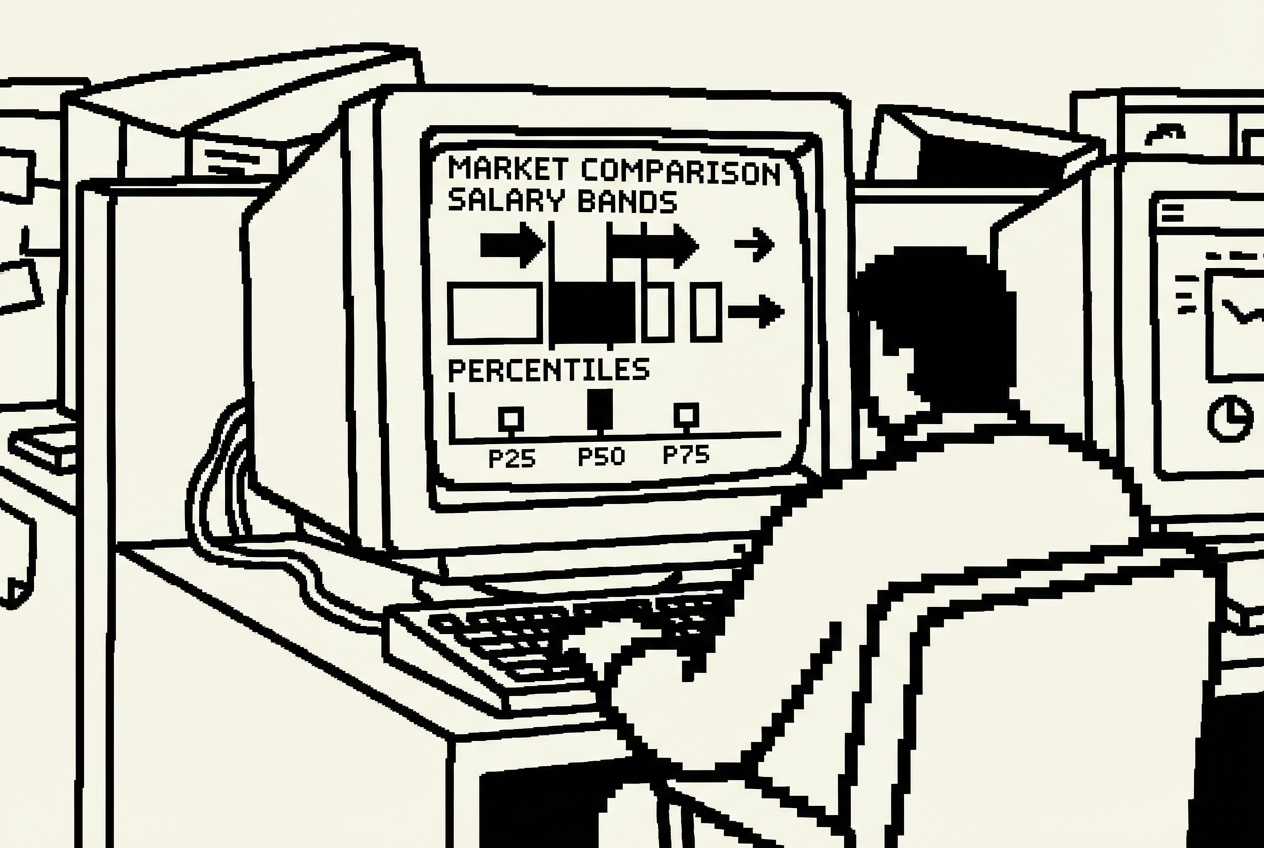
Codex dispatches agents to build this. One processes your data files, normalizing role titles and matching company data against market benchmarks. Another builds the visualization layer. The result is a dashboard that shows you, at a glance, where your compensation stands against the market.
The first time James loaded the dashboard with real data, three things jumped out immediately. First, the data engineering team was entirely in the red zone. He knew this from the spreadsheet, but seeing it as a cluster of red dots on a visualization made it visceral. Second, the marketing department was surprisingly well-positioned. Third, a pay equity flag he hadn't caught: two Senior Product Managers at the same level and title had a 22% compensation spread.
The retention risk view is the most actionable. It cross-references below-market pay with tenure, highlighting people who are both underpaid and experienced enough to find other opportunities easily. James presented the retention risk list at the next leadership meeting. The CFO didn't ask for additional analysis. The visual was the analysis. The retention adjustment budget was approved that week.
Refresh the data quarterly. The process takes about thirty minutes: export from BambooHR, update the market data file, push to GitHub, Railway redeploys. The quarterly analysis that used to take eight hours now takes thirty minutes.
Pave (~$5,000/yr), Carta Total Comp, PayScale, or similar compensation benchmarking platforms
Full cancellation of compensation benchmarking platform
Every company has training requirements. Some are compliance-driven: anti-harassment training, data privacy certification, workplace safety. Some are role-specific. All of them need tracking.
The common approach is a spreadsheet. A shared Google Sheet with employee names in rows and training modules in columns. Green cells for completed, yellow for in progress, red for overdue. It works until someone forgets to update it, which happens approximately every time someone completes a training. By month three, the spreadsheet is 40% accurate and 100% unreliable.
James had experienced the consequences of an unreliable training tracker firsthand. During a client audit, the auditor asked for proof that all employees with access to customer data had completed the annual data privacy training. James opened the spreadsheet. It showed 42 of 50 employees as "completed." He was reasonably confident the number was accurate, but "reasonably confident" is not what auditors want to hear. The scramble to verify completion for all 50 employees took four hours.
Learning Management Systems solve this. TalentLMS, Lessonly (now Seismic Learning), or the training module in your HRIS provide course hosting, progress tracking, and compliance reporting. They run about $2,400 per year for a basic tier. They do more than you need. You don't want to host courses. You want to track completion.
Go to Google AI Studio and use Build mode.
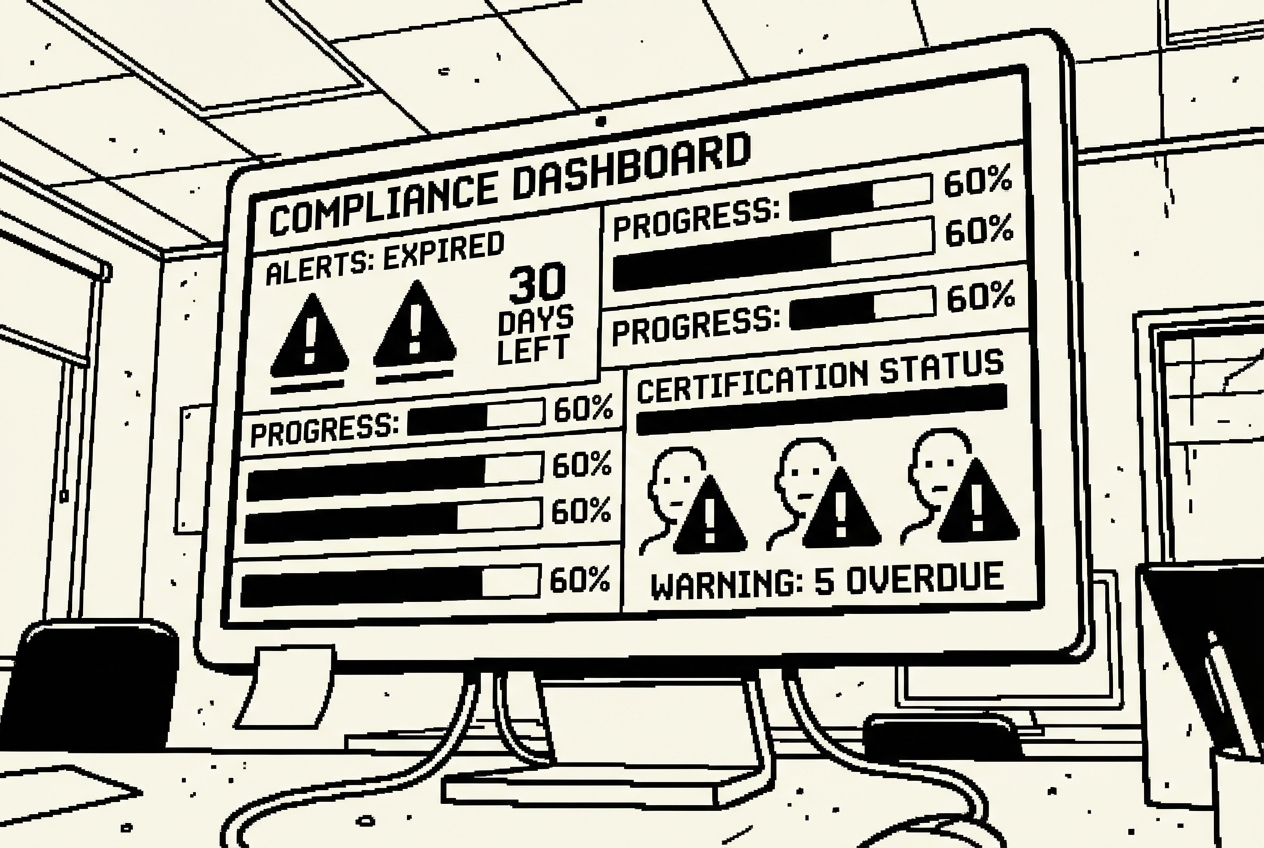
AI Studio builds this as a working web application. You can see the interface taking shape and use Annotation mode to adjust the layout. Maybe you want the overdue alerts at the top of the page rather than in a sidebar. The result is a focused training tracker. It doesn't host courses. It doesn't provide learning content. It tracks who completed what, when, and whether they're current.
James set up the tracker with the company's six compliance training requirements. He entered all 50 employees and their most recent completion dates. The initial setup took about two hours, but the result was the first accurate, complete picture of training compliance the company had ever had. The dashboard immediately showed that seven employees were overdue on at least one compliance training.
The workflow in practice: an employee completes their annual anti-harassment training through your training provider. They forward their completion certificate to HR. You open the tracker, find their name, mark the training as completed, and set the expiration for one year out. The entire interaction takes thirty seconds.
At the end of each quarter, pull the compliance report. It shows every employee, every required training, completion dates, and anyone overdue. When the next client audit comes around, the report is ready to generate on demand. No four-hour scramble. One click, one download, one report.
TalentLMS basic tier (~$2,400/yr), Lessonly, or the training tracking component of your HRIS
Full cancellation of LMS. Keep external training providers for content delivery.
Every number below matches the individual use case breakdowns above. James's HR stack went from a dozen tools to the ones that actually needed to exist.
| Use Case | Tool Replaced | Action | Savings |
|---|---|---|---|
| 1. The Onboarding Machine | BambooHR Onboarding Module | Cancelled | $2,400 |
| 2. Policies, Actually Findable | BambooHR Self-Service Upgrade | Cancelled | $3,600 |
| 3. Leave Without the Spreadsheet | Timetastic | Cancelled | $1,200 |
| 4. Benefits Without the Confusion | Benefits Enrollment Tool | Cancelled | $1,800 |
| 5. Job Descriptions | Textio | Cancelled | $1,200 |
| 6. Interview Scorecards | Greenhouse Scorecard Features | Cancelled | $1,800 |
| 7. Performance Reviews | Lattice | Cancelled | $4,800 |
| 8. Handbook Chatbot | Espressive | Cancelled | $3,600 |
| 9. Compensation Dashboard | Pave | Cancelled | $5,000 |
| 10. Training Tracker | TalentLMS Basic | Cancelled | $2,400 |
| Total HR SaaS Cancelled | $27,800/yr | ||
Claude Max and ChatGPT Plus are shared across all departments. For this chapter's purposes, we're attributing the full cost to give the most conservative savings estimate.
| Tool | Monthly Cost | Covers | Annual |
|---|---|---|---|
| Claude Max (Cowork + Code + Artifacts) | $200/mo | Use Cases 1, 3, 4, 6, 7, 8 | $2,400 |
| ChatGPT Plus (Codex App) | $20/mo | Use Cases 2, 9 | $240 |
| Google AI Studio | Free | Use Cases 5, 10 | $0 |
| Railway (hosting) | ~$10/mo | Policy Portal, Handbook Chatbot | $120 |
| Total AI Tool Cost | $2,760/yr | ||
These tools are not replaced by anything in this chapter:
BambooHR Core HRIS ($3,000/yr): Employee records, payroll integration, benefits administration, compliance reporting. These are the functions where having a dedicated, certified, audited platform matters. The liability alone justifies the cost of a purpose-built, audited system.
ATS (Greenhouse/Lever base) (existing subscription): The ATS handles the workflow of hiring, posting jobs to boards, collecting applications, moving candidates through stages. The interview scorecard replaced one feature of the ATS, but the core tracking and workflow stayed.
Beyond dollars, here's the time math. These are conservative estimates for a single HR manager at a 50-person company:
| Task | Time Saved | Annual Hours |
|---|---|---|
| Onboarding packet assembly | 2 hrs/hire, ~12 hires/yr | 24 hrs |
| Policy questions (email) | 3 hrs/week | 156 hrs |
| Leave balance inquiries | 1 hr/week | 52 hrs |
| Benefits enrollment support | 20 hrs during open enrollment | 20 hrs |
| Job description writing | 3 hrs/posting, ~12 postings/yr | 36 hrs |
| Interview scorecard standardization | 1 hr/hire | 12 hrs |
| Performance review template prep | 40 hrs/review cycle | 40 hrs |
| Handbook questions (post-chatbot) | 2 hrs/week | 104 hrs |
| Compensation data analysis | 8 hrs/quarter | 32 hrs |
| Training compliance tracking | 2 hrs/month | 24 hrs |
| Total Time Returned | ~500 hrs/yr | |
That's twelve and a half 40-hour weeks. A quarter of a year. Not spent doing less. Spent doing different things: the strategic work that no AI tool can replace. Employee relations. Culture building. Difficult conversations. Career development. The parts of HR that require a human being who knows the people and understands the context.
James didn't shrink his role. He changed what his role was about.
SaaS tools have support teams. The self-built tools have James. In practice, the Artifact-based tools (PTO calculator, benefits comparison, interview scorecard) don't break because they're static tools running in a browser. The Railway-hosted applications have been stable, with Railway's uptime exceeding 99.9%. For tools that are internal and non-critical, the reliability has been more than adequate.
James started with the tools that had the least employee-facing impact: the PTO calculator and benefits comparison tool. These were additions, not replacements. By the time James replaced the policy portal and the handbook chatbot, tools that employees interacted with directly, the company had already seen the new tools working well. If James had started with the highest-stakes tool, the performance review system, and stumbled during the first review cycle, the entire project would have lost credibility.
Claude Max and ChatGPT Plus are shared across all departments. If you're using these tools for marketing, sales, and HR, the per-department cost is a fraction of the total subscription. For this chapter's purposes, we attributed the full cost to give the most conservative savings estimate. In practice, these subscriptions serve your entire organization, making the per-department cost much lower and the savings even higher.
HR handles some of the most sensitive information in any company: employee compensation, personal leave, performance evaluations, medical benefits. The compensation dashboard CSV should not live in a public GitHub repository. Use private repositories, access-controlled storage, and appropriate authentication. Treat the security of these tools with the same seriousness you'd apply to payroll systems.
$25,040 is not an abstraction. James's stack is simpler now. Fewer logins, fewer vendor relationships, fewer annual renewal negotiations. The tools he built do exactly what he needs and nothing more. When a need changes, he updates the tool. When a new need arises, he builds a new one.
The relationship between the department and its tools flipped: instead of adapting the department's workflow to fit the tool's design, James builds tools that fit the department's workflow.
Five hundred hours a year, returned. Not to do less, but to do different things. To sit in difficult conversations without watching the clock. To mentor the junior recruiter without resenting the time. To think about culture, about retention, about the kind of company people want to work for.
You built it. You own it. You run it. That's the power shift this book is about, and it plays differently in every department. Next, we'll see what happens when IT gets their hands on these same tools.